RAW ProcessingThe RAW processing panel will let you develop your digital negative in batch. You can choose a brightness level. If it is inferior to 1, your photos will be darker and if it is superior to 1 they will be brighter.The white balance gives a particular color temperature to your photos. It refers to the relative warmth or coolness of white light. You can choose to select the white balanced stored in your digital camera or let it be automatically optimized. You can choose to use denoising. A stronger denoising level will have stronger effect but might remove interesting details. For all these settings you can use the quality preview in order to check the result of your choice of parameters. 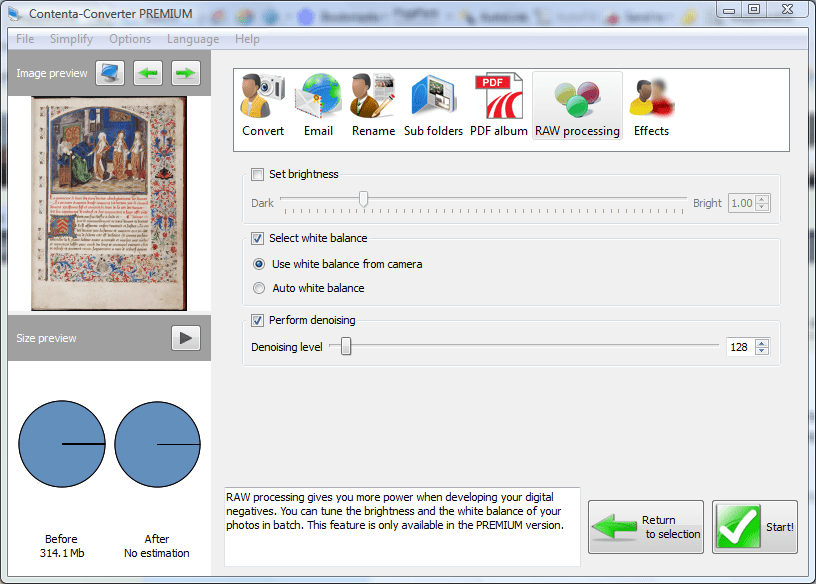
|