.bmp
BMP Image Conversion: Batch Convert, Resize & Organize
Contenta Converter PREMIUM lets you open, convert, and batch process BMP files into modern formats like JPG, PNG, TIFF, PDF, and more.
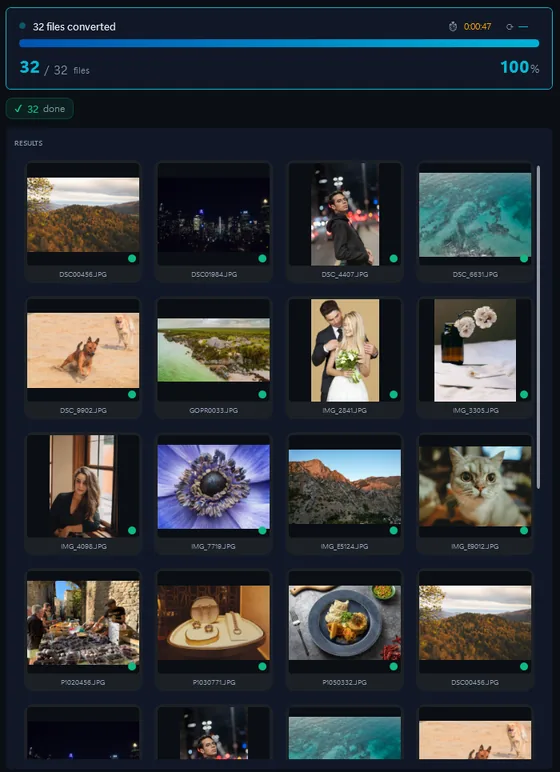
- Add your BMP filesDrop in single files or a whole folder.
- Pick output formatJPG, PNG, TIFF, PDF and more.
- Click ConvertEvery file converted in one pass.
The same photo, five outputs
 DSC_0001.NEF · 3900×2613
- PNG.png1.9 s16.1 MB
- AVIF.avif2.2 s2.02 MB
- JPG.jpg1.7 s1.69 MB
- WebP.webp1.7 s1.32 MB
- JPEG XL.jxl1.7 s1.12 MB
The BMP-tiedostomuotoa käytetään sisäisesti Microsoft Windows-käyttöjärjestelmän käsittelemään grafiikkaa kuvia. Nämä tiedostot eivät yleensä pakattu, joten suuria tiedostoja. Tärkein etu, BMP-tiedostot on heidän laajaa hyväksyntää, yksinkertaisuus ja käyttää Windows ohjelmia
Optimize file size, keep important metadata, and prepare images for web, print, or long-term archiving in just a few clicks.
Formaatti |
BMP |
Yritys |
Microsoft |
| Kuvaus | The BMP-tiedostomuotoa käytetään sisäisesti Microsoft Windows-käyttöjärjestelmän käsittelemään grafiikkaa kuvia. Nämä tiedostot eivät yleensä pakattu, joten suuria tiedostoja. Tärkein etu, BMP-tiedostot on heidän laajaa hyväksyntää, yksinkertaisuus ja käyttää Windows ohjelmia |
| Haittoja | Pakkaamattomat suuria tiedostoja |
Ready to convert your BMP files? Download the free trial.
Download the trial: 10 free imagesTestimonials:
"Kun tarve muuntaa nämä kuvat nykyään se on helpotus löytää ohjelmisto. Kiitos!"Jason Hoffman, CA
"Ammun RAWs joka päivä ja rakastan teidän muunninta. Tämä todella säästää aikaa."
Jim Richardson, Indianapolis
"Minun on sanottava, että olen ollut katsot valokuva muunninta ja koneesi on puhdas, yksinkertainen, ja hirveän hyvä."
Brandon Keegan, NY
Satisfaction guaranteed:
 | Professional photo conversion and processing as easy as it should be |
|
| Used by photographers (amateur and professional), design studios, architects, large organizations (NASA, IBM, Chrysler, University hospitals). |
|
| Totally risk free. After purchase, you have a 30-day money back guarantee. |
BMP image organization
BMP image processing
BMP image annotation
Frequently Asked Questions about BMP
What is a BMP image file?
A BMP file is a type of image format used in various tools and workflows. With Contenta Converter PREMIUM you can convert BMP files to more common formats like JPG, PNG, or PDF without losing control over quality.
How do I convert BMP images to JPG?
Install Contenta Converter PREMIUM, add your BMP files to the input list, choose JPG as the output format, and click Convert. The software will process all selected files in a single batch.
Can I batch-process many BMP images at once?
Yes. Contenta Converter PREMIUM is built for batch processing and can handle hundreds or thousands of BMP images in one operation, using all available CPU cores.
When should I convert BMP images to another format?
Convert BMP images when you need better compatibility with web browsers, design tools, or printing services. Exporting to formats like JPG, PNG, or TIFF from Contenta Converter PREMIUM makes sharing and archiving much easier.
Need more than BMP conversion? Browse supported cameras that produce BMP files below, or: