.jng
JNG Image Conversion: Batch Convert, Resize & Organize
Contenta Converter PREMIUM lets you open, convert, and batch process JNG files into modern formats like JPG, PNG, TIFF, PDF, and more.
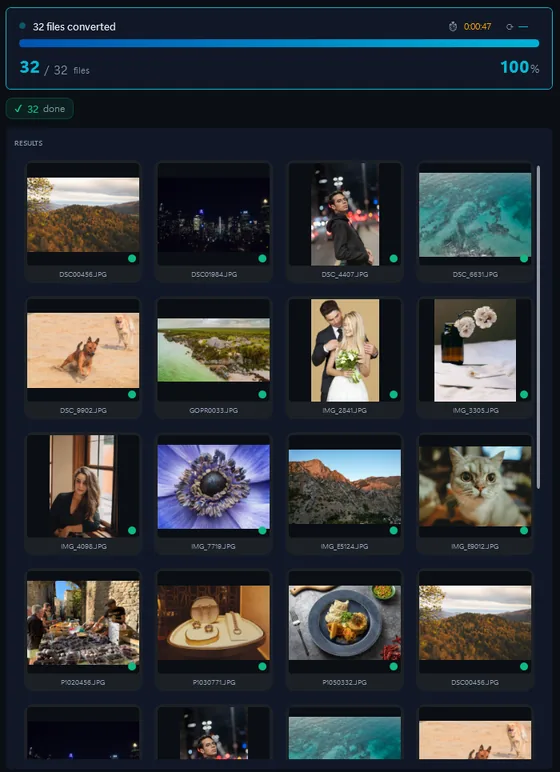
- Add your JNG filesDrop in single files or a whole folder.
- Pick output formatJPG, PNG, TIFF, PDF and more.
- Click ConvertEvery file converted in one pass.
The same photo, five outputs
 DSC_0001.NEF · 3900×2613
- PNG.png1.9 s16.1 MB
- AVIF.avif2.2 s2.02 MB
- JPG.jpg1.7 s1.69 MB
- WebP.webp1.7 s1.32 MB
- JPEG XL.jxl1.7 s1.12 MB
JPEG Network Graphics jest oparte JPEG format pliku graficznego, który jest ściśle związane z PNG.
Optimize file size, keep important metadata, and prepare images for web, print, or long-term archiving in just a few clicks.
Format |
JNG |
| Opis | JPEG Network Graphics jest oparte JPEG format pliku graficznego, który jest ściśle związane z PNG. |
| Korzyści | JNG zwiększa możliwości w JFIF format (zwykle format plików JPEG), poprzez wspieranie przejrzystości, dwóch kolejnych kolorów strumieni (jeden 8-bitowe i 12 innymi bit), PNG i innych przydatnych funkcji, takich jak korekcja kolorów, korekcja gamma, wbudowane kolor profili, PNG stylu metadane, kontrolnych itp. przejrzystości informacji wewnątrz JNG pliku (jako kanału alfa) mogą być zapisane w formacie PNG bezstratna lub stratna w formacie JPEG. W ten sposób użytkownicy mogą korzystać z mocy JPEG kompresji przy jednoczesnym zachowaniu bezstratnego (PNG skompresowany) przejrzystość informacji. |
Ready to convert your JNG files? Download the free trial.
Download the trial: 10 free imagesTestimonials:
"W trzeba konwertować te zdjęcia dziś została ulga znaleźć oprogramowanie. Dzięki!"Jason Hoffman, CA
"I strzelają RAWs codziennie I love your konwertera. To naprawdę oszczędność czasu."
Jim Richardson, Indianapolis
"Muszę powiedzieć, że I've Been Looking na zdjęciu konwertery i twoje są czyste, proste i strasznie dobre."
Brandon Keegan, NY
Satisfaction Guaranteed:
 | Professional photo conversion and processing as easy as it should be |
|
| Trusted by photographers, designers, and businesses worldwide. |
|
| Totally risk free. After purchase, you have a 30-day money back guarantee. No questions asked. |
JNG image organization
JNG image color processing
JNG image processing
JNG image annotation
Frequently Asked Questions about JNG
What is a JNG image file?
A JNG file is a type of image format used in various tools and workflows. With Contenta Converter PREMIUM you can convert JNG files to more common formats like JPG, PNG, or PDF without losing control over quality.
How do I convert JNG images to JPG?
Install Contenta Converter PREMIUM, add your JNG files to the input list, choose JPG as the output format, and click Convert. The software will process all selected files in a single batch.
Can I batch-process many JNG images at once?
Yes. Contenta Converter PREMIUM is built for batch processing and can handle hundreds or thousands of JNG images in one operation, using all available CPU cores.
When should I convert JNG images to another format?
Convert JNG images when you need better compatibility with web browsers, design tools, or printing services. Exporting to formats like JPG, PNG, or TIFF from Contenta Converter PREMIUM makes sharing and archiving much easier.
Need more than JNG conversion? Browse supported cameras that produce JNG files below, or: