.ps
PS file: convert PostScript files that carry an embedded preview
A .ps file is a PostScript print file: a program that a printer or an interpreter such as Ghostscript runs to draw the page.
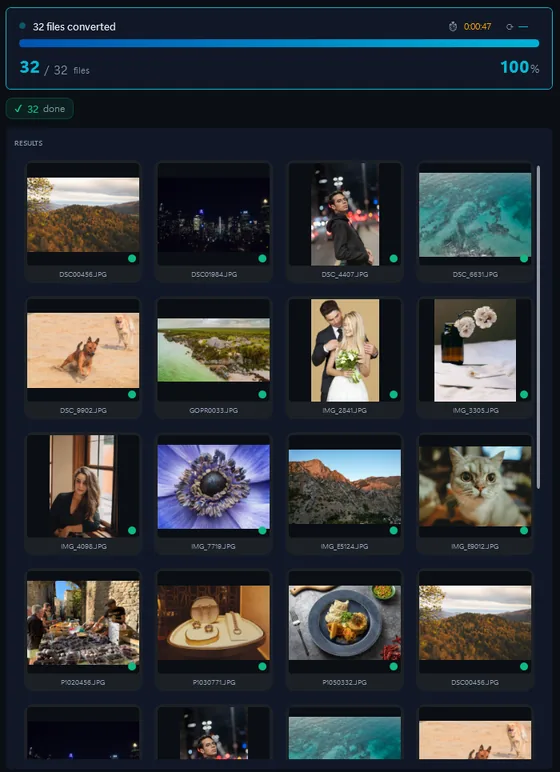
- Add your PS filesDrop in single files or a whole folder.
- Pick output formatJPG, PNG, TIFF, PDF and more.
- Click ConvertEvery file converted in one pass.
Contenta Converter only converts PostScript files that carry an embedded preview image (the binary EPS-style header) to JPG, PNG or TIFF. For plain PostScript, use the free Ghostscript to render it to PNG or PDF.
The same photo, five outputs
 DSC_0001.NEF · 3900×2613
- PNG.png1.9 s16.1 MB
- AVIF.avif2.2 s2.02 MB
- JPG.jpg1.7 s1.69 MB
- WebP.webp1.7 s1.32 MB
- JPEG XL.jxl1.7 s1.12 MB
·
100+ formats supported
·
Free trial, no time limit
Formátum |
PS |
Társaság |
Adobe |
| Leírás | PostScript (PS) egy dinamikusan typed concatenative programozási nyelv által teremtett John Warnock és Charles Geschke 1982-ben. PostScript legjobban ismert a felhasználás oldal leírás nyelven, az elektronikus és desktop publishing területeken. |
| Előnyök | Device-independent by design: the same .ps file prints identically on a 300 dpi laser from 1990 and a 2400 dpi imagesetter today. Text-based, so you can edit or inspect the file with any text editor. Perfectly suited for high-quality print output where vector accuracy matters. |
| Hátrányai | Superseded by PDF in 1993. Modern workflows have no reason to use PS — PDF is smaller, faster to render, self-contained, and supports the same vector accuracy. Rendering a PS file requires a PostScript interpreter (Ghostscript, or a PostScript printer), which makes viewing inconvenient. Most modern apps and browsers can't open .ps directly. |
Ready to convert your PS files? Download the free trial.
Download the free trial: every file converts, keep 10 cleanTestimonials:
"In need to convert these pictures today it has been a relief to find your software. Thanks!"Jason Hoffman, CA
"I shoot RAWs every day and I love your converter. This really saves time."
Jim Richardson, Indianapolis
"I have to say that I've been looking at photo converters and yours is clean, simple, and awfully good."
Brandon Keegan, NY
Satisfaction Guaranteed:
 | Professional photo conversion and processing as easy as it should be |
|
| Trusted by photographers, designers, and businesses worldwide. |
|
| Totally risk free. After purchase, you have a 30-day money back guarantee. No questions asked. |
PS image organization
PS image color processing
PS image processing
PS image annotation
How to change the resolution in dpi of PS?
How to modify the IPTC/XMP creation and modification dates of PS?
How to modify the IPTC/XMP description of PS?
How to modify the IPTC/XMP location of PS?
How to modify the IPTC/XMP legal information of PS?
How to edit the IPTC/XMP workflow (status and urgency) of PS?
How to edit the IPTC/XMP copyright of PS?
Frequently Asked Questions about PS
Why won't my PS file convert?
Most .ps files are plain PostScript with no embedded preview, and Contenta Converter does not interpret PostScript. Render it with the free Ghostscript (to PNG or PDF), or print it to PDF from the program that made it.
Need more than PS conversion? Browse supported cameras that produce PS files below, or: