.svg
SVG Image Conversion: Batch Convert, Resize & Organize
Contenta Converter PREMIUM lets you open, convert, and batch process SVG files into modern formats like JPG, PNG, TIFF, PDF, and more.
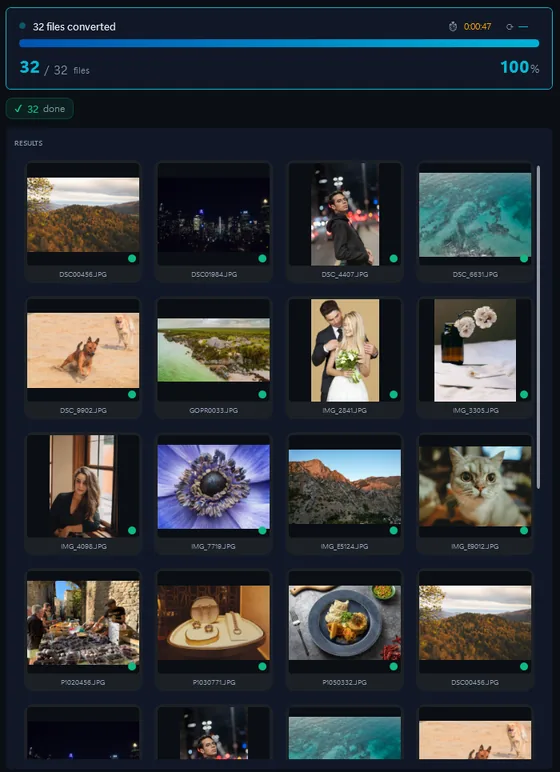
- Add your SVG filesDrop in single files or a whole folder.
- Pick output formatJPG, PNG, TIFF, PDF and more.
- Click ConvertEvery file converted in one pass.
The same photo, five outputs
 DSC_0001.NEF · 3900×2613
- PNG.png1.9 s16.1 MB
- AVIF.avif2.2 s2.02 MB
- JPG.jpg1.7 s1.69 MB
- WebP.webp1.7 s1.32 MB
- JPEG XL.jxl1.7 s1.12 MB
확장 가능한 벡터 그래픽 (SVG를)하는 XML 사양입니다과 2 - 차원 벡터 그래픽, 모두를 설명하기위한 정적 및 동적 파일 형식 (대화형 또는 애니메이션). SVG를 명세가 개발중인 월드 와이드로되어있다는 개방형 표준이다 웹 컨소시엄 (W3C)는 1999 년 이후. SVG를 이미지와 그들의 행위는 XML 텍스트 파일에 정의되어있습니다.들이 검색한는 색인도 생성할 수있습니다 즉, 대본, 그리고 필요한 경우, 압축된.는 SVG 파일은 텍스트 편집기로 편집할 수 있지만, 전문의 SVG를 개발 환경도 사용할 수있습니다. 이러한 제안의 전문 및 일반 - 목적으로 다양한 기능. Microsoft Internet Explorer의 지원을 제외한 모든 현대의 웹 브라우저와 직접 마크업 SVG를 렌더링합니다. 인터넷 익스플로러 (IE)에서 파일을 SVG를보기 위해서는 사용자가 다운로드 받아야하는 그리고 브라우저 플러그인을 설치합니다.
Optimize file size, keep important metadata, and prepare images for web, print, or long-term archiving in just a few clicks.
포맷 |
SVG |
회사 |
W3C |
| 설명 | 확장 가능한 벡터 그래픽 (SVG를)하는 XML 사양입니다과 2 - 차원 벡터 그래픽, 모두를 설명하기위한 정적 및 동적 파일 형식 (대화형 또는 애니메이션). SVG를 명세가 개발중인 월드 와이드로되어있다는 개방형 표준이다 웹 컨소시엄 (W3C)는 1999 년 이후. SVG를 이미지와 그들의 행위는 XML 텍스트 파일에 정의되어있습니다.들이 검색한는 색인도 생성할 수있습니다 즉, 대본, 그리고 필요한 경우, 압축된.는 SVG 파일은 텍스트 편집기로 편집할 수 있지만, 전문의 SVG를 개발 환경도 사용할 수있습니다. 이러한 제안의 전문 및 일반 - 목적으로 다양한 기능. Microsoft Internet Explorer의 지원을 제외한 모든 현대의 웹 브라우저와 직접 마크업 SVG를 렌더링합니다. 인터넷 익스플로러 (IE)에서 파일을 SVG를보기 위해서는 사용자가 다운로드 받아야하는 그리고 브라우저 플러그인을 설치합니다. |
| 장점 | Infinitely scalable without pixelation. Text-based format that is searchable, indexable, and can be styled with CSS or animated with JavaScript. Very small file sizes for simple graphics compared to raster alternatives. |
| 단점 | Not suitable for photographs or complex raster imagery. Rendering can vary slightly between browsers. Complex SVGs with many paths can become large and slow to render. |
Ready to convert your SVG files? Download the free trial.
Download the free trial: every file converts, keep 10 clean증명서:
"귀하의 소프트웨어를 찾을 필요가 안심하고 오늘은이 사진을 변환할 수있습니다. Thanks!"제이슨 호프만, CA
"내가 매일 RAWs 촬영하고 난 당신 변환기를 사랑 해요. 이건 정말 시간을 절약할 수있습니다."
짐 리처드슨, 인디애나 폴리스
"내가 당신 사진을 변환하고, 간단한 청소이며, 몹시 좋은 찾아 다 녔다고합니다."
브랜든 키건, 뉴욕
만족 보장:
 | 프로페셔널 포토 변환 및 작업이 이보다 쉬울 수가 없습니다 |
|
| 사진작가 (아마추어 및 프로페셔널), 디자인 스튜디오, 건축가, 큰 단체 (NASA, IBM, 크라이슬러, 대학 병원들)가 사용함. |
|
| 위험부담이 전혀 없습니다. 구매 후, 30일 이내 환불이 보장됩니다. 특별히 사유를 묻지도 않습니다. |
SVG image organization
SVG image processing
SVG image annotation
Frequently Asked Questions about SVG
What is a SVG image file?
A SVG file is a type of image format used in various tools and workflows. With Contenta Converter PREMIUM you can convert SVG files to more common formats like JPG, PNG, or PDF without losing control over quality.
How do I convert SVG images to JPG?
Install Contenta Converter PREMIUM, add your SVG files to the input list, choose JPG as the output format, and click Convert. The software will process all selected files in a single batch.
Can I batch-process many SVG images at once?
Yes. Contenta Converter PREMIUM is built for batch processing and can handle hundreds or thousands of SVG images in one operation, using all available CPU cores.
When should I convert SVG images to another format?
Convert SVG images when you need better compatibility with web browsers, design tools, or printing services. Exporting to formats like JPG, PNG, or TIFF from Contenta Converter PREMIUM makes sharing and archiving much easier.
Need more than SVG conversion? Browse supported cameras that produce SVG files below, or: