.psd
PSD Image Conversion: Batch Convert, Resize & Organize
Contenta Converter PREMIUM lets you open, convert, and batch process PSD files into modern formats like JPG, PNG, TIFF, PDF, and more.
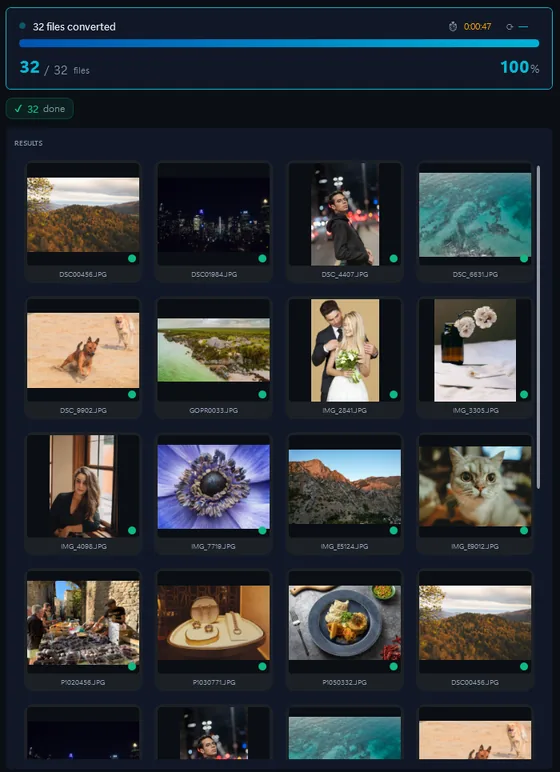
- Add your PSD filesDrop in single files or a whole folder.
- Pick output formatJPG, PNG, TIFF, PDF and more.
- Click ConvertEvery file converted in one pass.
The same photo, five outputs
 DSC_0001.NEF · 3900×2613
- PNG.png1.9 s16.1 MB
- AVIF.avif2.2 s2.02 MB
- JPG.jpg1.7 s1.69 MB
- WebP.webp1.7 s1.32 MB
- JPEG XL.jxl1.7 s1.12 MB
그것은 어도비 포토샵 \ '네이티브 형식이다.
Optimize file size, keep important metadata, and prepare images for web, print, or long-term archiving in just a few clicks.
포맷 |
PSD |
회사 |
Adobe |
| 설명 | 그것은 어도비 포토샵 \ '네이티브 형식이다. |
| 장점 | 대부분의 이미징 옵션을 포토샵에서 사용할 수에 대한 지원과 함께 이미지를 저장합니다. 이러한 마스크와 레이어를 포함, 색상 공간, ICC 프로파일, 투명도, 텍스트, 알파 채널과 별색, 경로 클리핑, duotone 설정합니다. |
| 단점 | 대용량 파일 |
| 메타 | 핸들 XMP,의 EXIF 나 IPTC |
Ready to convert your PSD files? Download the free trial.
Download the free trial: every file converts, keep 10 clean증명서:
"귀하의 소프트웨어를 찾을 필요가 안심하고 오늘은이 사진을 변환할 수있습니다. Thanks!"제이슨 호프만, CA
"내가 매일 RAWs 촬영하고 난 당신 변환기를 사랑 해요. 이건 정말 시간을 절약할 수있습니다."
짐 리처드슨, 인디애나 폴리스
"내가 당신 사진을 변환하고, 간단한 청소이며, 몹시 좋은 찾아 다 녔다고합니다."
브랜든 키건, 뉴욕
만족 보장:
 | 프로페셔널 포토 변환 및 작업이 이보다 쉬울 수가 없습니다 |
|
| 사진작가 (아마추어 및 프로페셔널), 디자인 스튜디오, 건축가, 큰 단체 (NASA, IBM, 크라이슬러, 대학 병원들)가 사용함. |
|
| 위험부담이 전혀 없습니다. 구매 후, 30일 이내 환불이 보장됩니다. 특별히 사유를 묻지도 않습니다. |
PSD image organization
PSD image processing
PSD image annotation
Frequently Asked Questions about PSD
What is a PSD image file?
A PSD file is a type of image format used in various tools and workflows. With Contenta Converter PREMIUM you can convert PSD files to more common formats like JPG, PNG, or PDF without losing control over quality.
How do I convert PSD images to JPG?
Install Contenta Converter PREMIUM, add your PSD files to the input list, choose JPG as the output format, and click Convert. The software will process all selected files in a single batch.
Can I batch-process many PSD images at once?
Yes. Contenta Converter PREMIUM is built for batch processing and can handle hundreds or thousands of PSD images in one operation, using all available CPU cores.
When should I convert PSD images to another format?
Convert PSD images when you need better compatibility with web browsers, design tools, or printing services. Exporting to formats like JPG, PNG, or TIFF from Contenta Converter PREMIUM makes sharing and archiving much easier.
Can I convert PSD files without Photoshop?
Yes. Contenta Converter PREMIUM can open and batch convert PSD files to JPG, PNG, TIFF, PDF, and other formats without requiring Adobe Photoshop. The software reads the composite (flattened) image from the PSD file.
What is the difference between PSD and TIFF for layered images?
PSD is Adobe native format that preserves all Photoshop-specific features (smart objects, adjustment layers, text layers, masks). TIFF can store layers too, but some Photoshop-specific data may be lost. For archiving outside Adobe workflows, TIFF is more portable.
Need more than PSD conversion? Browse supported cameras that produce PSD files below, or: