.pdn
PDN file: what it is and how to convert it to PNG or JPG
A .pdn file is a Paint.NET project: the layered working file of the free Windows editor.
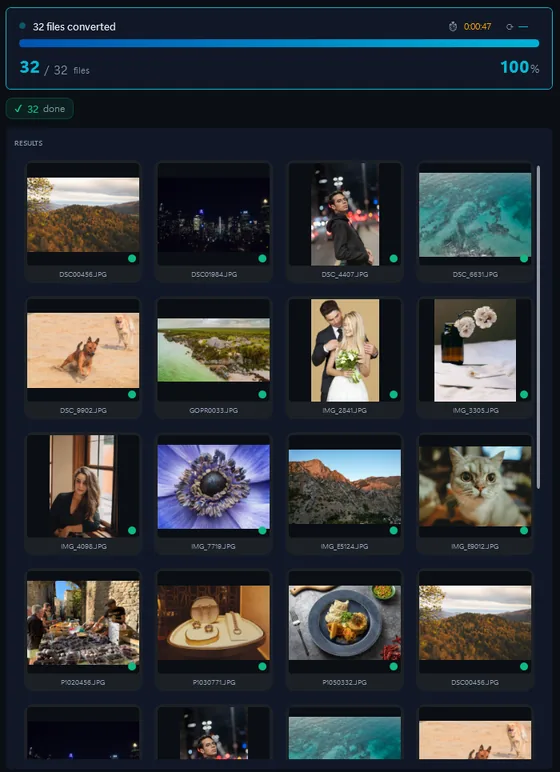
- Add your PDN filesDrop in single files or a whole folder.
- Pick output formatJPG, PNG, TIFF, PDF and more.
- Click ConvertEvery file converted in one pass.
Nothing but Paint.NET and a few converters open it. Paint.NET itself exports one file at a time with Save As. Contenta Converter flattens the layers and converts a whole folder of .pdn files to PNG, JPG or TIFF in one batch, with no Paint.NET required.
How to open a .PDN file on Windows
- Paint.NET (free). The program that made the file. Open it and use Save As to export PNG or JPG, one file at a time.
- Photopea (free, in the browser). Opens .pdn files with their layers and exports PNG, JPG or PSD.
- Contenta Converter, for folders. Drop a folder of .pdn files and get flattened PNG, JPG or TIFF pictures in one batch, resized or renamed if you like, without Paint.NET installed.
Before you convert PDN files
- What changes in the conversion
The layers. A PNG or JPG is one flat picture, so layer names, order, opacity and blend modes are merged into the final image and cannot be separated again. Transparent areas survive in PNG and TIFF and turn opaque in JPG. The .pdn file is not changed, so you can always reopen it in Paint.NET to edit. - What Contenta Converter does with PDN
Contenta Converter reads .pdn files directly and composites the visible layers with their opacity and all 14 Paint.NET blend modes, then writes PNG, JPG, TIFF, WEBP or PDF through its normal pipeline, so you can resize, watermark and rename in the same batch. Hidden layers are left out, as in Paint.NET's own export. A layer with a blend mode the decoder does not know is composited as Normal and the file gets a warning, so you can check it in Paint.NET.
The same photo, five outputs
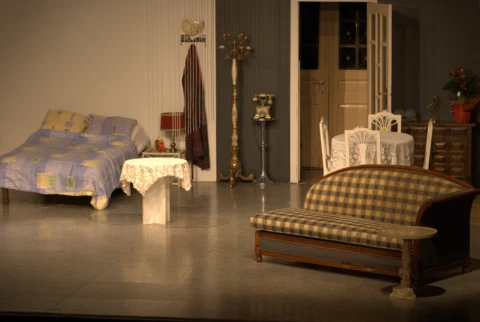 DSC_0001.NEF · 3900×2613
- PNG.png1.9 s16.1 MB
- AVIF.avif2.2 s2.02 MB
- JPG.jpg1.7 s1.69 MB
- WebP.webp1.7 s1.32 MB
- JPEG XL.jxl1.7 s1.12 MB
포맷 |
PDN |
회사 |
Paint.NET |
| 설명 | A .pdn file is a Paint.NET project: the layered working file of the free Windows image editor Paint.NET. It keeps every layer with its name, opacity, blend mode and visibility, so the picture can be edited again later. Only Paint.NET itself and a few tools read it; browsers, Windows Photos and other editors do not. |
| 장점 | Keeps all layers editable with their blend modes and opacity. Lossless. Small and fast to save in Paint.NET. |
| 단점 | Opens only in Paint.NET and a handful of converters. Cannot be shared, printed or uploaded until it is flattened to PNG or JPG. Paint.NET runs on Windows only. |
Ready to convert your PDN files? Download the free trial.
Download the free trial: every file converts, keep 10 clean증명서:
"귀하의 소프트웨어를 찾을 필요가 안심하고 오늘은이 사진을 변환할 수있습니다. Thanks!"제이슨 호프만, CA
"내가 매일 RAWs 촬영하고 난 당신 변환기를 사랑 해요. 이건 정말 시간을 절약할 수있습니다."
짐 리처드슨, 인디애나 폴리스
"내가 당신 사진을 변환하고, 간단한 청소이며, 몹시 좋은 찾아 다 녔다고합니다."
브랜든 키건, 뉴욕
만족 보장:
 | 프로페셔널 포토 변환 및 작업이 이보다 쉬울 수가 없습니다 |
|
| 사진작가 (아마추어 및 프로페셔널), 디자인 스튜디오, 건축가, 큰 단체 (NASA, IBM, 크라이슬러, 대학 병원들)가 사용함. |
|
| 위험부담이 전혀 없습니다. 구매 후, 30일 이내 환불이 보장됩니다. 특별히 사유를 묻지도 않습니다. |
PDN image organization
PDN image processing
PDN image annotation
Frequently Asked Questions about PDN
How do I open a PDN file without Paint.NET?
Photopea opens .pdn files in the browser, and Contenta Converter converts them to PNG or JPG on Windows. Windows Photos, Photoshop and GIMP do not read the format. If you only need the picture, converting it is the quickest way.
Does converting a PDN keep the layers?
No. PNG, JPG and TIFF hold one flat picture, so the layers are merged. Transparency is kept in PNG and TIFF. To keep editable layers, export from Paint.NET or Photopea to PSD instead.
Can I convert many PDN files at once?
Yes. Drop the folder into Contenta Converter, choose PNG or JPG and click Start Converting. Every .pdn is flattened and written in one batch, and you can resize or rename them in the same pass.
Need more than PDN conversion? Browse supported cameras that produce PDN files below, or: