EXIF
Remover GPS e Metadados das Fotos
Proteja a sua privacidade — remova coordenadas GPS, informações do dispositivo e todos os metadados ocultos das fotos antes de compartilhar.
Baixe o teste grátis: cada arquivo é convertido, 10 ficam limpos
Converta agora a pasta inteira. Fique com 10 resultados sem marca d'água, grátis. Por $129 uma única vez, o resto também fica sem marca d'água. Sem cartão, sem conta, sem upload. Windows 10 e 11.
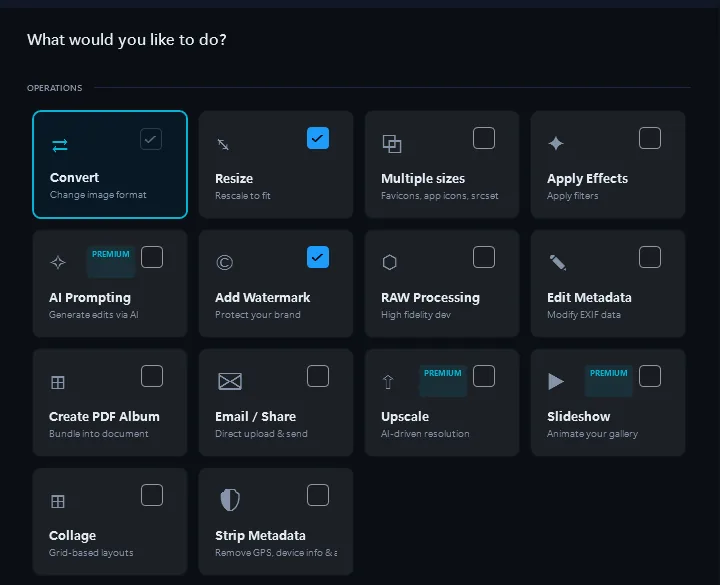
- Adicione suas imagensArraste e solte arquivos ou pastas inteiras
- Ativar Remoção de Todos os MetadadosUma caixa de seleção — remove todos os metadados EXIF, IPTC e XMP, incluindo GPS, informações do dispositivo, carimbos de data/hora e etiquetas de software. As suas fotos mantêm a qualidade, apenas sem os dados ocultos.
- ConvertaTodos os arquivos prontos em minutos
Cada foto do iPhone contém a sua localização GPS exata, número de série do dispositivo e carimbos de data/hora. Remova tudo com um clique antes de fazer upload para fóruns, vender itens ou compartilhar com clientes.
O que está Oculto nas Suas Fotos?
Coordenadas GPS
A sua latitude e longitude exatas — precisas dentro de alguns metros. Qualquer um pode ver onde você tirou a foto.
Informação do Dispositivo
Modelo do telefone, número de série, tipo de lente, versão do firmware. Identifica de forma única o seu dispositivo.
Data e hora
Data e hora exatas em que tirou a foto, além de informações de fuso horário. Revela os seus padrões de horário e localização.
Software & Edições
Quais aplicações usou para editar a foto, histórico de edições e versões de software. Revela o seu fluxo de trabalho.
Quando Deve Remover Metadados?
Venda de Itens Online
Listando itens no eBay, Craigslist ou Facebook Marketplace? Remova os dados GPS para que os compradores não consigam localizar o seu endereço a partir das fotos do produto.
Partilha em Fóruns & Redes Sociais
Publicando fotos no Reddit, Discord ou fóruns? Remova as informações do dispositivo e GPS que poderiam identificá-lo ou revelar a sua localização.
Entregas a Clientes
Enviando fotos para clientes? Remova metadados internos como software de edição, configurações da câmara e carimbos de data/hora antes da entrega.
Jornalistas & Ativistas
Proteja fontes e locais. Remova todos os metadados identificativos das fotos antes de publicar ou partilhar material sensível.
O Que é Removido vs. O Que Fica
Removido (Dados de Privacidade)
- Coordenadas GPS (latitude, longitude, altitude)
- Marca, modelo e configurações da câmara
- Números de série do dispositivo e IDs únicos
- Data, hora e fuso horário
- Etiquetas de software e histórico de edições
Mantido (Qualidade da Imagem)
- Qualidade total da imagem — sem recompressão
- Perfil de cor e espaço de cor
- Resolução e dimensões em pixels
- Formato de ficheiro original
- Nome do ficheiro (personalizável)
Antes e depois
Antes do Contenta
As fotos partilhadas online contêm as suas coordenadas GPS, número de série do dispositivo, carimbos de data/hora e histórico de edição. Qualquer pessoa pode extrair estes dados.
Depois do Contenta
Fotos limpas com todos os metadados removidos. Mesma qualidade de imagem, zero risco de privacidade. Processe milhares de fotos em segundos.
Comece a converter fotos hoje
Escolha o plano que melhor se adapta a si. Todos os planos incluem todas as funcionalidades.
Sem armadilha de subscrição. Contenta é uma compra única — menos de 2 meses de Lightroom, e é seu para sempre.
Perguntas frequentes
O Contenta lê mais de 100 formatos de entrada, incluindo JPEG, PNG, TIFF, WebP, HEIC, AVIF, BMP, GIF, PDF e mais de 30 formatos RAW (CR2, NEF, ARW, DNG, RAF e mais), e grava 28 formatos de saída.
Não há limite. O Contenta usa processamento multi-core para converter milhares de imagens em minutos. Os utilizadores processam regularmente mais de 10.000 fotos num único lote.
Sim. O Contenta suporta mais de 30 formatos RAW de Canon, Nikon, Sony, Fuji, Panasonic, Olympus e mais. Balanço de brancos, redução de ruído e controlo de cor integrados.
Todas as funções, todos os arquivos e sem limite de tempo. Cada lote é convertido por inteiro; os resultados levam uma pequena marca d'água até você escolher até 10 para manter limpos. Essas escolhas contam uma vez por PC, não por lote, e um lote de 500 arquivos não gasta nada até você escolher. Uma licença ($129 uma única vez) remove a marca d'água de tudo o que você converter.
Não. O Contenta Converter é uma compra única. Paga uma vez e é seu para sempre, incluindo todas as atualizações futuras. Sem custos mensais ou anuais.
O que dizem os nossos utilizadores
“Uso o Contenta Converter há anos e ele me poupou incontáveis horas de trabalho. Altamente recomendado!”
“Simples, rápido e faz exatamente o que promete. O processamento em lote é incrivelmente eficiente.”
“O melhor conversor de imagens que encontrei. O suporte RAW e o gerenciamento de metadados são excelentes.”
Teste gratuito, depois $129 uma vez. Sem mensalidades.
Publicado por ContentaSoft, Umea, Suécia, desenvolvedor do Contenta Converter PREMIUM.
Contenta Converter PREMIUM é uma aplicação de desktop para Windows que converte, redimensiona, renomeia, aplica marcas d'água e processa imagens em lote em mais de 100 formatos, incluindo JPEG, PNG, WebP, HEIC, TIFF, RAW e PDF.
Este software não contém adware, spyware, barras de ferramentas ou programas de terceiros. O instalador instala apenas o Contenta Converter PREMIUM.
A conversão, o redimensionamento, as marcas de água e os metadados são processados no seu computador. As funcionalidades de IA opcionais (remoção de fundo, restauro de fotos, colorização) enviam as imagens tratadas para o Google Gemini com a sua própria chave API. O software não recolhe dados pessoais.
Teste grátis com todas as funções e sem limite de tempo: cada arquivo é convertido, até 10 resultados escolhidos por você ficam sem marca d'água e o resto leva marca d'água. Licença vitalícia: $129 (pagamento único, sem assinatura).
Como desinstalar
Abra Windows Settings > Apps > Aplicações instaladas, procure «Contenta Converter PREMIUM» na lista e clique em Desinstalar. Também pode executar o desinstalador a partir da pasta de instalação ou utilizar Control Panel > Programs and Features.
Tamanho do download: ~2 MB (instalador web). Componentes adicionais são transferidos durante a instalação (~300 MB no total).