AI Fargelegg Svart & Hvite Bilder — Batch Desktop
Gi gamle svart-hvitt bilder liv med realistisk AI-fargelegging — i batch, på skrivebordet ditt.
Last ned prøveversjonen: 10 gratis bilder
30 dagers prøve, de første 10 bildene uten vannmerke. Deretter 129 USD én gang, uten abonnement. Uten kredittkort. Windows 10 og 11.
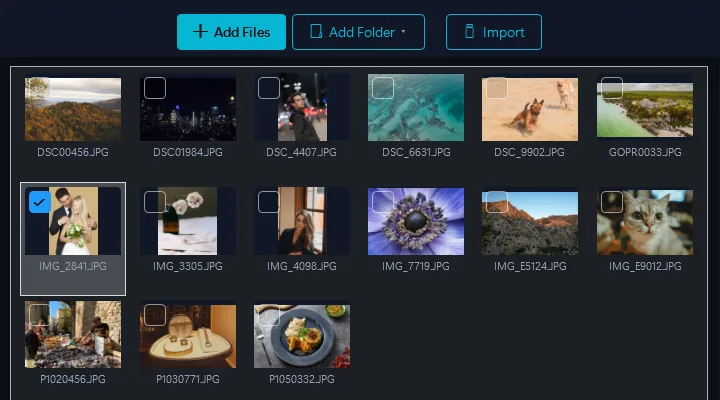
- Legg til bildene dineDra og slipp filer eller hele mapper
- Velg fargeleggingspreset for svart-hvittÉn klikk — AI analyserer hvert bilde og anvender realistiske, historisk nøyaktige farger på klær, hud, landskap og objekter.
- KonverterAlle resultater klare på noen minutter
Drevet av Google Gemini AI. Slipp et helt album med svart-hvitt bilder og få realistiske, historisk nøyaktige farger automatisk.
Skrivebord vs. Skyfargelegging
Sky-tjenester
- Må laste opp bilder til en server
- $1–3 per bilde
- Én bilde om gangen, treg behandling
- Generiske resultater, begrenset historisk nøyaktighet
- Familiebilder på tredjeparts servere
Contenta Desktop
- Din egen Google Gemini-konto, ikke serverne til en fototjeneste
- $129 engangsbetaling — ubegrensede bilder
- Fargelegg et helt album i batch på en gang
- Google Gemini AI for nøyaktige, naturlige farger
- Kombiner med restaurering i samme batch
Hvem bruker AI-fargelegging?
Familiehistorie & Genealogi
Se besteforeldrenes bryllupsbilder, portretter fra andre verdenskrig, og barndomsbilder i levende farger for første gang.
Historiske Arkiver
Gi historiske fotosamlinger liv. Gjør arkivbilder mer engasjerende og tilgjengelige for moderne publikum.
Utdanning & Forskning
Hjelp studenter med å knytte seg til historien. Fargelagte bilder får historiske hendelser til å føles umiddelbare og virkelige.
Publisering & Media
Legg til farge til B&W redaksjonelle bilder, bokillustrasjoner og dokumentarfilmstillbilder for mer slagkraftig visuell historiefortelling.
Priser per bilde legger seg raskt opp
per bilde på skyfargeleggingstjenester
per bilde, fakturert av Google på din egen Gemini-nøkkel. Ingenting ekstra fra oss.
$129 engangskjøp. Google tar noen få cent per bilde på Gemini-nøkkelen din, så et album med 200 bilder koster omtrent $8 i API-avgifter.
Før og etter
Før Contenta
Last opp B&W bilder ett om gangen til skyen. Betal per bilde. Vent minutter per foto. Generiske fargeresultater.
Etter Contenta
Slipp et helt B&W album. AI fargelegger hvert bilde med realistiske, historisk nøyaktige farger. Alt i én batch på skrivebordet ditt.
Begynn å konvertere bilder i dag
Velg planen som passer for deg. Alle planer inkluderer alle funksjoner.
Ingen abonnementsfelle. Contenta er et engangskjøp — billigere enn 2 måneder med Lightroom, og det er ditt for alltid.
Ofte stilte spørsmål
Contenta leser over 100 inndataformater, inkludert JPEG, PNG, TIFF, WebP, HEIC, AVIF, BMP, GIF, PDF og over 30 kamera-RAW-formater (CR2, NEF, ARW, DNG, RAF og flere), og skriver 28 utdataformater.
Det er ingen grense. Contenta bruker flerkjernebehandling for å konvertere tusenvis av bilder på minutter. Brukere behandler jevnlig over 10 000 bilder i en enkelt batch.
Ja. Contenta støtter over 30 RAW-formater fra Canon, Nikon, Sony, Fuji, Panasonic, Olympus og flere. Hvitbalanse, støyreduksjon og fargekontroll er innebygd.
30-dagers prøven inkluderer alle funksjoner. De første 10 bildene per batch behandles uten vannmerke. Deretter legges et lite vannmerke til. Kjøp en lisens for å fjerne alle begrensninger.
Nei. Contenta Converter er et engangskjøp. Du betaler én gang og eier det for alltid, inkludert alle fremtidige oppdateringer. Ingen månedlige eller årlige avgifter.
Hva brukerne våre sier
“Jeg har brukt Contenta Converter i årevis, og det har spart meg utallige timer med arbeid. Sterkt anbefalt!”
“Enkelt, raskt og gjør nøyaktig det det lover. Batchbehandlingen er utrolig effektiv.”
“Den beste bildekonverteren jeg har funnet. RAW-støtten og metadatahåndteringen er førsteklasses.”
Gratis prøveversjon, deretter $129 én gang. Ingen månedlige avgifter.
Utgitt av ContentaSoft, Umea, Sverige, utvikleren av Contenta Converter PREMIUM.
Contenta Converter PREMIUM er en skrivebordsapplikasjon for Windows som batchkonverterer, skalerer, omdøper, vannmerker og behandler bilder i over 100 formater, inkludert JPEG, PNG, WebP, HEIC, TIFF, RAW og PDF.
Denne programvaren inneholder ingen adware, spyware, verktøylinjer eller medfølgende tredjepartsprogrammer. Installasjonsprogrammet installerer kun Contenta Converter PREMIUM.
Konvertering, størrelsesendring, vannmerker og metadata behandles på datamaskinen din. De valgfrie AI-funksjonene (fjern bakgrunn, fotorestaurering, fargelegging) sender de aktuelle bildene til Google Gemini med din egen API-nøkkel. Programvaren samler ikke inn personlige data.
Gratis 30-dagers prøveversjon med full funksjonalitet. Etter prøveperioden kreves en lisensnøkkel. Livstidslisens: $129 (engangsbetaling, uten abonnement).
Slik avinstallerer du
Åpne Windows Settings > Apps > Installerte apper, finn «Contenta Converter PREMIUM» i listen, og klikk på Avinstaller. Du kan også kjøre avinstallasjonsprogrammet fra installasjonsmappen eller bruke Control Panel > Programs and Features.
Nedlastingsstørrelse: ~2 MB (web-installer). Ytterligere komponenter lastes ned under installasjonen (~300 MB totalt).