Colorisation IA des Photos Noir & Blanc — Bureau
Donnez vie aux anciennes photos N&B avec une colorisation IA réaliste — en lot, sur votre bureau.
Télécharger l'essai gratuit : chaque fichier est converti, 10 restent sans filigrane
Convertissez tout le dossier maintenant. Gardez 10 résultats sans filigrane, gratuitement. Pour 129 $ une seule fois, le filigrane disparaît du reste. Sans carte, sans compte, sans envoi en ligne. Windows 10 et 11.
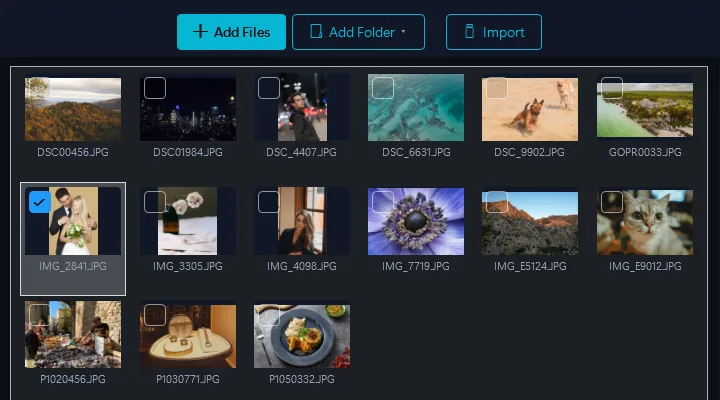
- Ajoutez vos imagesGlissez-déposez des fichiers ou des dossiers entiers
- Sélectionnez le préréglage Coloriser N&BUn clic — l'IA analyse chaque photo et applique des couleurs réalistes et historiquement précises aux vêtements, à la peau, aux paysages et aux objets.
- ConvertirTous les fichiers prêts en quelques minutes
Propulsé par Google Gemini AI. Déposez un album entier de photos noir et blanc et obtenez des couleurs réalistes et historiquement précises automatiquement.
Colorisation Bureau vs. Cloud
Services Cloud
- Doit télécharger des photos sur un serveur
- 1–3 $ par image
- Une image à la fois, traitement lent
- Résultats génériques, précision historique limitée
- Vos photos de famille sur des serveurs tiers
Contenta Desktop
- Votre propre compte Google Gemini, pas les serveurs d'un service photo
- 129 $ paiement unique — images illimitées
- Colorisez en lot un album entier à la fois
- Google Gemini AI pour des couleurs précises et naturelles
- Combinez avec la restauration dans le même lot
Qui utilise la colorisation IA ?
Histoire Familiale & Généalogie
Découvrez les photos de mariage de vos grands-parents, les portraits de l'époque de la Seconde Guerre mondiale et les instantanés d'enfance en couleurs vives pour la première fois.
Archives Historiques
Donnez vie aux collections de photos historiques. Rendez les images d'archives plus engageantes et accessibles aux publics modernes.
Éducation & Recherche
Aidez les étudiants à se connecter avec l'histoire. Les photos colorisées rendent les événements historiques plus immédiats et réels.
Édition & Médias
Ajoutez de la couleur aux images éditoriales en noir et blanc, aux illustrations de livres et aux images de documentaires pour un récit visuel plus percutant.
Le Prix par Image S'Accumule Rapidement
par image sur les services de colorisation dans le cloud
par photo, facturés par Google sur votre propre clé Gemini. Rien de plus de notre part.
Achat unique de 129 $. Google facture votre clé Gemini quelques centimes par photo : un album de 200 photos coûte environ 8 $ de frais d'API.
Avant & Après
Avant Contenta
Téléchargez des photos en noir et blanc une par une sur les services cloud. Payez par image. Attendez des minutes par photo. Résultats de couleur génériques.
Après Contenta
Déposez un album entier en noir et blanc. L'IA colorise chaque photo avec des couleurs réalistes et historiquement précises. Tout en un lot sur votre bureau.
Commencez à convertir vos photos dès aujourd'hui
Choisissez le plan qui vous convient. Tous les plans incluent toutes les fonctionnalités.
Pas de piège d'abonnement. Contenta est un achat unique — moins cher que 2 mois de Lightroom, et c'est à vous pour toujours.
Questions fréquentes
Contenta lit plus de 100 formats d'entrée, dont JPEG, PNG, TIFF, WebP, HEIC, AVIF, BMP, GIF, PDF et plus de 30 formats RAW (CR2, NEF, ARW, DNG, RAF, etc.), et écrit 28 formats de sortie.
Il n'y a pas de limite. Contenta utilise le traitement multi-cœur pour convertir des milliers d'images en minutes. Les utilisateurs traitent régulièrement plus de 10 000 photos en un seul lot.
Oui. Contenta prend en charge plus de 30 formats RAW de Canon, Nikon, Sony, Fuji, Panasonic, Olympus et plus. Balance des blancs, réduction du bruit et contrôle des couleurs intégrés.
Toutes les fonctions, tous les fichiers, sans limite de durée. Chaque lot est converti en entier ; les résultats portent un petit filigrane jusqu'à ce que vous en choisissiez jusqu'à 10 à garder sans filigrane. Ces choix comptent une fois par PC, pas par lot, et un lot de 500 fichiers ne coûte rien tant que vous ne choisissez pas. Une licence (129 $ une seule fois) retire le filigrane de tout ce que vous convertissez.
Non. Contenta Converter est un achat unique. Vous payez une fois et le possédez pour toujours, y compris toutes les mises à jour futures. Aucun frais mensuel ou annuel.
Ce que disent nos utilisateurs
“J'utilise Contenta Converter depuis des années et il m'a fait gagner un temps considérable. Je le recommande vivement !”
“Simple, rapide et fait exactement ce qu'il promet. Le traitement par lots est incroyablement efficace.”
“Le meilleur convertisseur d'images que j'ai trouvé. La prise en charge RAW et la gestion des métadonnées sont excellentes.”
Essai gratuit, puis $129 en une fois. Pas de frais mensuels.
Publié par ContentaSoft, Umea, Suède, développeur de Contenta Converter PREMIUM.
Contenta Converter PREMIUM est une application de bureau pour Windows qui convertit, redimensionne, renomme, filigrane et traite par lots des images dans plus de 100 formats, dont JPEG, PNG, WebP, HEIC, TIFF, RAW et PDF.
Ce logiciel ne contient aucun adware, spyware, barre d'outils ou programme tiers. Le programme d'installation installe uniquement Contenta Converter PREMIUM.
La conversion, le redimensionnement, le filigrane et les métadonnées sont traités sur votre ordinateur. Les fonctions IA optionnelles (suppression d'arrière-plan, restauration de photos, colorisation) envoient les images concernées à Google Gemini avec votre propre clé API. Le logiciel ne collecte aucune donnée personnelle.
Essai gratuit avec toutes les fonctions et sans limite de durée : chaque fichier est converti, jusqu'à 10 résultats de votre choix restent sans filigrane et le reste porte un filigrane. Licence à vie : 129 $ (paiement unique, sans abonnement).
Comment désinstaller
Ouvrez Windows Settings > Apps > Applications installées, recherchez « Contenta Converter PREMIUM » dans la liste et cliquez sur Désinstaller. Vous pouvez également exécuter le programme de désinstallation depuis le dossier d'installation ou utiliser Control Panel > Programs and Features.
Taille du téléchargement : ~2 Mo (installateur web). Des composants supplémentaires sont téléchargés pendant l'installation (~300 Mo au total).