129 USD Engangsbetaling - Batch-fotokonverteren der Erstatter Abonnementer
60+ formater. 25+ RAW-formater. CLI-automatisering. Alt hvad du har brug for til batch-billedkonvertering - uden maanedlige gebyrer.
Valgt af 100.000+ brugere. 30 dages gratis proeve, 30 dages pengene-tilbage garanti.
Download gratis — 30 dages prøveversion, intet kreditkortDownload gratis. Intet kreditkort. Ingen forpligtelse.
Prøv gratis i 30 dage - Ingen kreditkort påkrævet
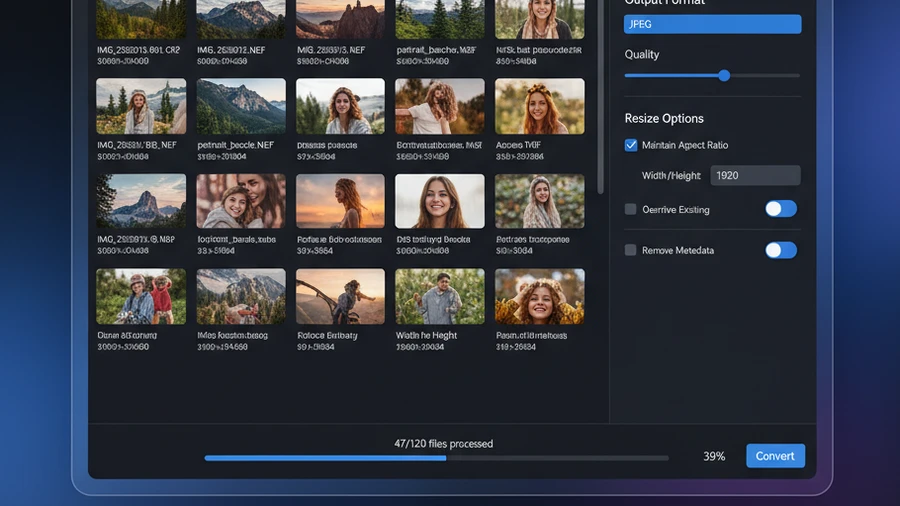
Alt i Et Vaerktoej
60+ Formater
JPEG, PNG, TIFF, WebP, AVIF, HEIC, PSD, RAW, PDF, SVG og mange flere.
Batch-behandling
Behandl tusindvis af billeder i en operation med multi-core acceleration.
25+ RAW-formater
Canon CR2/CR3, Nikon NEF, Sony ARW, Fuji RAF, DNG og flere.
AI-baggrundsfjerning
Fjern baggrunden fra en hel mappe med fotos. Hvert billede sendes til Google Gemini med din egen gratis API-nøgle, så vi opkræver intet per billede.
CLI + MCP Server
Kommandolinjeværktøjer. Automatiser med scripts, CI/CD eller AI-agenter.
129 USD Engangsbetaling
Intet abonnement. Ingen aarlig fornyelse. Inkluderer alle opdateringer.
Batchkonvertér fotos hurtigere: Contenta Converter 9.0.31, målt

Windows · gratis prøveversion · betal én gang, intet abonnement
Fortalt på engelsk, med undertekster · Travlt? Se versionen på ét minut
Saadan Sammenligner Contenta Sig
| Funktion | Contenta | Lightroom | Onlinevaerktoejer | Gratis Vaerktoejer |
|---|---|---|---|---|
| Pris | $129 engangsbetaling | $10/maaned | Gratis (begraenset) | Gratis |
| Batch-behandling | ✓ | ✓ | ✗ | ✗ |
| RAW-understottelse | ✓ 25+ | ✓ | ✗ | ✗ |
| CLI | ✓ 13 kommandoer | ✗ | ✗ | ✗ |
| Virker Offline | ✓ | ✓ | ✗ | ✓ |
| Ingen Upload Paakraevet | ✓ | ✓ | ✗ | ✓ |
Før & efter
Før Contenta
Betal 10 USD/md for Lightroom. Brug online konvertere med 5 MB graenser og privatlivsproblemer. Jongler med 3 gratis vaerktoejer der hver haandterer et format.
Efter Contenta
Et vaerktoej. 60+ formater. Batch-behandling. RAW + AI + CLI. 129 USD engangsbetaling. Faerdig.
AVIF til JPG og AVIF til PNG — Konverter AVIF i batch på Windows
Har du brug for at konvertere AVIF-billeder til et format, som alle apps og websteder accepterer? Contenta Converter konverterer AVIF til JPG og AVIF til PNG i batch i én handling, helt på din pc.
AVIF til JPG
Konverter AVIF til JPG i batch med fuld kontrol over kvalitet og størrelse. Slip en hel mappe med AVIF-filer, og få standard JPG-billeder tilbage på sekunder.
AVIF til PNG
Konverter AVIF til PNG, når du har brug for tabsfri output eller gennemsigtighed. Batchbehandl hundredvis af AVIF-filer til PNG uden at uploade noget online.
100% offline, ingen grænser
Alt kører på din Windows-pc. Ingen grænser for uploadstørrelse, ingen gebyrer pr. billede, og dine fotos forlader aldrig din computer.
Hvad er AVIF? AVIF er et moderne, stærkt komprimeret billedformat, der bruges af nyere kameraer, browsere og websteder. Da mange ældre apps og editorer endnu ikke kan åbne AVIF, gør konvertering af AVIF til JPG eller PNG dine billeder universelt kompatible.
Konverter AVIF og over 60 andre formater. Engangsbeløb på $129, intet abonnement. Gratis 30-dages prøveperiode, intet kreditkort.
TIFF til JPG & TIFF til PNG — Batch TIFF-konverter til Windows
En mappe fuld af tunge TIFF-scanninger eller -eksporter? Contenta Converter er en batch TIFF-konverter, der omdanner TIFF til JPG, PNG eller WebP i én handling, direkte på din pc — uden uploads.
TIFF til JPG
Konverter TIFF til JPEG i bulk med fuld kontrol over kvalitet og størrelse. Slip en hel mappe med TIFF-filer, og få kompakte, universelt kompatible JPG-billeder tilbage på få sekunder.
TIFF til PNG / WebP
Konverter TIFF til PNG, når du har brug for tabsfri output eller gennemsigtighed, eller til WebP for de mindste webklare filer. Den oprindelige TIFF-fil forbliver urørt.
Batchbehandling af mapper
Peg Contenta mod en mappe, og konverter hundredvis af TIFF-filer på én gang. Gennemgå undermapper, omdøb ved output, og bevar din mappestruktur intakt.
100% offline på skrivebordet
Alt kører på din Windows-pc. Ingen grænser for uploadstørrelse, ingen gebyrer pr. billede, og dine TIFF-filer forlader aldrig din computer.
Hvorfor konvertere TIFF? TIFF er et højkvalitets-, ofte ukomprimeret format, der bruges af scannere, mikroskoper og trykkeworkflows — hvilket gør filerne store og langsomme at dele. At konvertere TIFF til JPG eller PNG bevarer billedet og formindsker det til et format, som enhver app, browser og hjemmeside accepterer.
Konverter TIFF og over 60 andre formater. Engangsbeløb på $129, intet abonnement. Gratis 30-dages prøveperiode, intet kreditkort.
Begynd at konvertere fotos i dag
Vælg den plan, der passer til dig. Alle planer inkluderer alle funktioner.
Ingen abonnementsfælde. Contenta er et engangskøb — billigere end 2 måneders Lightroom, og det er dit for altid.
Batch-fotokonverter — Ofte stillede spørgsmål
Contenta Converter batch-konverterer over 60 formater, herunder JPG, PNG, WEBP, AVIF, TIFF, HEIC, BMP, GIF og over 25 RAW-kameraformater (CR2, CR3, NEF, ARW, RAF, RW2, ORF med flere) i én omgang.
Der er ingen kunstig grænse — batches er kun begrænset af din diskplads og tilgængelige tid. Peg på en mappe med tusindvis af billeder, og lad det køre.
Ja. Som standard skriver Contenta Converter nye outputfiler og overskriver aldrig dine originaler, så dine kildefotos forbliver urørte, medmindre du vælger andet.
Ja. Contenta Converter leveres med en kommandolinjegrænseflade (CLI) og en MCP-server, så du kan scripte konverteringer eller udløse dem fra andre værktøjer uden skrivebords-UI'en.
Nej. Contenta Converter er et engangskøb på $129 — betal én gang, eje det, og få gratis opdateringer. Ingen tilbagevendende gebyr.
Hvad vores brugere siger
“Jeg har brugt Contenta Converter i årevis, og det har sparet mig utallige timers arbejde. Stærkt anbefalet!”
“Simpelt, hurtigt og gør præcis hvad det lover. Batchbehandlingen er utroligt effektiv.”
“Den bedste billedkonverter jeg har fundet. RAW-understøttelsen og metadatahåndteringen er i topklasse.”
Flere guides til batch-konvertering
Gratis prøveversion, derefter $129 én gang. Ingen månedlige gebyrer.
Udgivet af ContentaSoft, Umea, Sverige, udvikleren af Contenta Converter PREMIUM.
Contenta Converter PREMIUM er en desktopapplikation til Windows, der batchkonverterer, skalerer, omdøber, vandmærker og behandler billeder i over 60 formater, herunder JPEG, PNG, WebP, HEIC, TIFF, RAW og PDF.
Denne software indeholder ingen adware, spyware, værktøjslinjer eller medfølgende tredjepartsprogrammer. Installationsprogrammet installerer udelukkende Contenta Converter PREMIUM.
Konvertering, størrelsesændring, vandmærker og metadata behandles på din computer. De valgfrie AI-funktioner (fjern baggrund, fotorestaurering, farvelægning) sender de pågældende billeder til Google Gemini med din egen API-nøgle. Softwaren indsamler ingen personlige data.
Gratis 30-dages prøveversion med fuld funktionalitet. Efter prøveperioden kræves en licensnøgle. Livstidslicens: $129 (engangsbetaling, intet abonnement).
Sådan afinstallerer du
Åbn Windows Settings > Apps > Installerede apps, find „Contenta Converter PREMIUM“ på listen, og klik på Afinstaller. Du kan også køre afinstallationsprogrammet fra installationsmappen eller bruge Control Panel > Programs and Features.
Downloadstørrelse: ~2 MB (web-installer). Yderligere komponenter downloades under installationen (~300 MB i alt).