.gif
Work faster with GIF image files
Open, convert, and recompress GIF images to modern formats like JPG, PNG, WEBP, and PDF. Contenta Converter PREMIUM processes entire folders at once and keeps your metadata intact when you need it.
Download free trial — convert GIF now See all features →
Buy once for $129 or subscribe. No per-image fees.
- Free trial, no time limit
- Keep 10 results clean
- Windows 10/11
- Works offline
- 100,000+ users worldwide
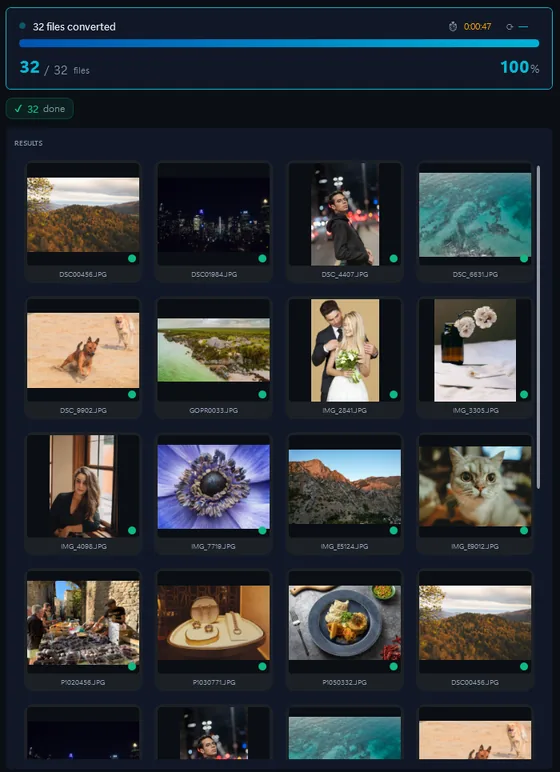
- Download the trial and install it on Windows 10 or 11.
- Drop your GIF files, or a whole folder, into Contenta Converter.
- Pick JPG, PNG, TIFF or PDF and click “Start Converting”.
The same photo, five outputs
 DSC_0001.NEF · 3900×2613
- PNG.png1.9 s16.1 MB
- AVIF.avif2.2 s2.02 MB
- JPG.jpg1.7 s1.69 MB
- WebP.webp1.7 s1.32 MB
- JPEG XL.jxl1.7 s1.12 MB
Samsung Photos — Convert, Resize & Organize
정보의 형식에 대해 : GIF
| 포맷 | GIF |
| 회사 | Graphics Interchange Format |
| 설명 | 은 GIF는 8 - 비트 팔레트, 또는 256 색상으로 제한됩니다. 이것은 간단한 다이어그램, 모양, 로고 및 만화 스타일의 이미지와 같은 몇 가지의 색상과 그래픽을 저장하기 위해 상대적으로 GIF 형식 적합합니다. GIF 형식의 애니메이션을 지원하고있다 아직 널리 이미지를 애니메이션 효과를 제공하는 데 사용한다. 또한 큰 영역을 때, 하나의 색깔이 있고 상세한지나 dithered 이미지에 대한 효과가 더 효과적입니다 무손실 압축을 사용합니다. |
| 장점 | 무손실 |
| 단점 | 256 색상과 크기가 큰 파일을 |
증명서:
“I have been using Contenta Converter for years and it has saved me countless hours of work. Highly recommended!”
“Simple, fast, and does exactly what it promises. The batch processing is incredibly efficient.”
“Best image converter I have found. The RAW support and metadata handling are top-notch.”
만족 보장:
 | 프로페셔널 포토 변환 및 작업이 이보다 쉬울 수가 없습니다 |
|
| 사진작가 (아마추어 및 프로페셔널), 디자인 스튜디오, 건축가, 큰 단체 (NASA, IBM, 크라이슬러, 대학 병원들)가 사용함. |
|
| 위험부담이 전혀 없습니다. 구매 후, 30일 이내 환불이 보장됩니다. 특별히 사유를 묻지도 않습니다. |
Other cameras from this brand
GIF image conversion
GIF image organization
GIF image color processing
GIF image processing
GIF image annotation
Frequently Asked Questions
What image formats does the Samsung produce?
The Samsung produces GIF files. You can convert these to JPG, TIFF, PNG, PDF, WEBP, and many other formats using Contenta Converter PREMIUM.
How do I convert Samsung photos?
Download Contenta Converter PREMIUM, drag and drop your photos, choose the output format, and click Convert. It supports batch conversion of hundreds of files at once.
Does Contenta Converter support RAW files and metadata?
Yes. Contenta Converter PREMIUM reads RAW files from most popular camera brands and can preserve or update IPTC/XMP metadata such as copyright, location, and descriptions during conversion.
Can I add a watermark to my Samsung photos?
You can add text or image watermarks to all your photos in one step. Contenta Converter PREMIUM lets you choose position, opacity, and size so your branding looks consistent on every export.
Is Contenta Converter free to try?
Yes. The trial has every feature and no time limit. Pick up to 10 results to keep clean; the rest carry a small watermark. Buying a license removes the watermark.