.jpeg
Work faster with JPEG image files
Open, convert, and recompress JPEG images to modern formats like JPG, PNG, WEBP, and PDF. Contenta Converter PREMIUM processes entire folders at once and keeps your metadata intact when you need it.
Download free trial — convert JPEG now See all features →
Buy once for $129 or subscribe. No per-image fees.
- Free trial, no time limit
- Keep 10 results clean
- Windows 10/11
- Works offline
- 100,000+ users worldwide
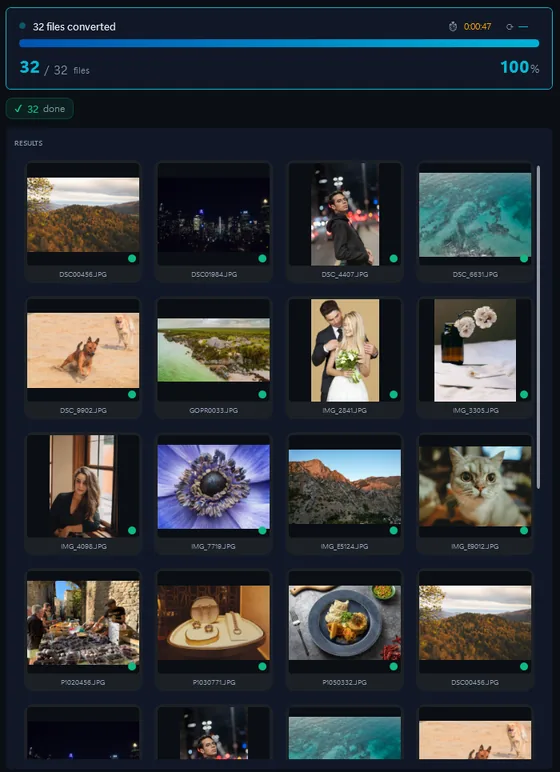
- Download the trial and install it on Windows 10 or 11.
- Drop your JPEG files, or a whole folder, into Contenta Converter.
- Pick JPG, PNG, TIFF or PDF and click “Start Converting”.
The same photo, five outputs
 DSC_0001.NEF · 3900×2613
- PNG.png1.9 s16.1 MB
- AVIF.avif2.2 s2.02 MB
- JPG.jpg1.7 s1.69 MB
- WebP.webp1.7 s1.32 MB
- JPEG XL.jxl1.7 s1.12 MB
Nikon Photos — Convert, Resize & Organize
Information about the format: JPEG
| Format | JPEG |
| Company | Joint Photographic Experts Group |
| Description | JPEG (Joint Photographic Experts Group, 1992) is the standard for compressed photographs. A .jpg file stores 8 bits per colour channel and discards the detail the eye is least likely to notice, which makes a 24-megapixel photo 5 to 10 MB instead of 70 MB uncompressed. Every camera, phone, browser and editor reads and writes it. |
| Benefits | Opens everywhere. Small files at good quality. Carries EXIF, IPTC and XMP metadata and ICC colour profiles. Rotation and cropping can be done without re-compressing, with the right tool. |
| Drawbacks | Lossy: quality drops a little with every re-save. No transparency, no layers, 8 bits per channel only. Visible blocking and halos at low quality settings or after many edits. |
| Metadata | Stores XMP metadata inline, including copyright, keywords, camera info, and ICC color profiles. |
Users reviews:
“I have been using Contenta Converter for years and it has saved me countless hours of work. Highly recommended!”
“Simple, fast, and does exactly what it promises. The batch processing is incredibly efficient.”
“Best image converter I have found. The RAW support and metadata handling are top-notch.”
Satisfaction Guaranteed:
 | Professional photo conversion and processing. |
|
| Trusted by photographers, designers, and businesses worldwide. |
|
| Totally risk free. After purchase, you have a 30-day money back guarantee. |
Other cameras from this brand
JPEG image conversion
JPEG image organization
JPEG image color processing
JPEG image processing
JPEG image annotation
Frequently Asked Questions
What image formats does the Nikon produce?
The Nikon produces JPEG files. You can convert these to JPG, TIFF, PNG, PDF, WEBP, and many other formats using Contenta Converter PREMIUM.
How do I convert Nikon photos?
Download Contenta Converter PREMIUM, drag and drop your photos, choose the output format, and click Convert. It supports batch conversion of hundreds of files at once.
Does Contenta Converter support RAW files and metadata?
Yes. Contenta Converter PREMIUM reads RAW files from most popular camera brands and can preserve or update IPTC/XMP metadata such as copyright, location, and descriptions during conversion.
Can I add a watermark to my Nikon photos?
You can add text or image watermarks to all your photos in one step. Contenta Converter PREMIUM lets you choose position, opacity, and size so your branding looks consistent on every export.
Is Contenta Converter free to try?
Yes. The trial has every feature and no time limit. Pick up to 10 results to keep clean; the rest carry a small watermark. Buying a license removes the watermark.