.jpg
Work faster with JPG image files
Open, convert, and recompress JPG images to modern formats like JPG, PNG, WEBP, and PDF. Contenta Converter PREMIUM processes entire folders at once and keeps your metadata intact when you need it.
Download free trial — convert JPG now See all features →
Buy once for $129 or subscribe. No per-image fees.
More than 10 photos? Every file converts in the free trial and you keep 10 results clean. To clean the rest: buy once for $129, or subscribe for a short job ($29 per quarter) and cancel any time; it then stops at the end of the period you paid for. Compare both options →
- Free trial, no time limit
- Keep 10 results clean
- Windows 10/11
- Works offline
- 100,000+ users worldwide
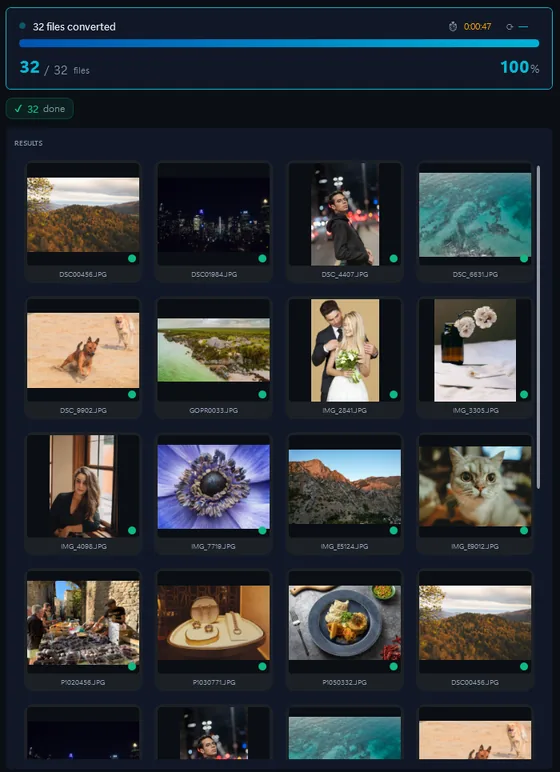
- Download the trial and install it on Windows 10 or 11.
- Drop your JPG files, or a whole folder, into Contenta Converter.
- Pick JPG, PNG, TIFF or PDF and click “Start Converting”.
The same photo, five outputs
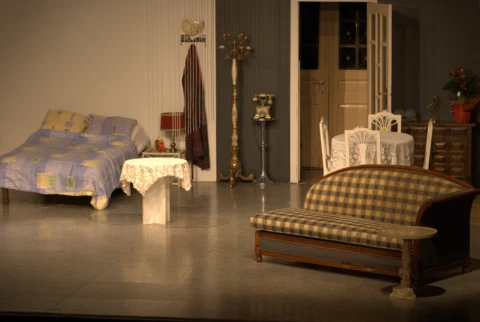 DSC_0001.NEF · 3900×2613
- PNG.png1.9 s16.1 MB
- AVIF.avif2.2 s2.02 MB
- JPG.jpg1.7 s1.69 MB
- WebP.webp1.7 s1.32 MB
- JPEG XL.jxl1.7 s1.12 MB
Sanyo Photos — Convert, Resize & Organize
Tietoja muodossa: JPG
| Formaatti | JPG |
| Yritys | Joint Photographic Experts Group |
| Kuvaus | Lähes kaikki digitaaliset kamerat on mahdollisuus tallentaa kuvat JPEG-muodossa. JPEG-muodossa tukee 8 bittiä per väri (punainen, vihreä ja sininen), ja tuottaa suhteellisen pienen tiedoston kokoa. pakkaussuhteen, kun se ei ole liian vaikea, ei heikentää huomattavasti alk. kuvaa. Mutta JPEG-tiedostoja voi kärsiä sukupolvenvaihdoksen hajoaminen kun toistuvasti käsitelty ja tallennettu. Valokuvauslevyt kuvia voidaan paremmin säilytettävä sellaisessa häviöttömän kuin JPEG-muodossa, jos ne uudelleen edited tulevaisuudessa, tai jos on vähäisiä 'esineitä' on voida hyväksyä. Se on kuitenkin paras formaatti Internet-julkaisun useimmissa tapauksissa. |
| Edut | Pieni tiedoston kokoa, suuri suosio |
| Haittoja | tappio laadun |
| Metatieto | Kahvojen XMP, EXIF tai IPTC |
Testimonials:
“I have been using Contenta Converter for years and it has saved me countless hours of work. Highly recommended!”
“Simple, fast, and does exactly what it promises. The batch processing is incredibly efficient.”
“Best image converter I have found. The RAW support and metadata handling are top-notch.”
Satisfaction guaranteed:
 | Professional photo conversion and processing as easy as it should be |
|
| Used by photographers (amateur and professional), design studios, architects, large organizations (NASA, IBM, Chrysler, University hospitals). |
|
| Totally risk free. After purchase, you have a 30-day money back guarantee. |
Other cameras from this brand
JPG image conversion
JPG image organization
JPG image color processing
JPG image processing
JPG image annotation
Frequently Asked Questions
What image formats does the Sanyo produce?
The Sanyo produces JPG files. You can convert these to JPG, TIFF, PNG, PDF, WEBP, and many other formats using Contenta Converter PREMIUM.
How do I convert Sanyo photos?
Download Contenta Converter PREMIUM, drag and drop your photos, choose the output format, and click Convert. It supports batch conversion of hundreds of files at once.
Does Contenta Converter support RAW files and metadata?
Yes. Contenta Converter PREMIUM reads RAW files from most popular camera brands and can preserve or update IPTC/XMP metadata such as copyright, location, and descriptions during conversion.
Can I add a watermark to my Sanyo photos?
You can add text or image watermarks to all your photos in one step. Contenta Converter PREMIUM lets you choose position, opacity, and size so your branding looks consistent on every export.
Is Contenta Converter free to try?
Yes. The trial has every feature and no time limit. Pick up to 10 results to keep clean; the rest carry a small watermark. Buying a license removes the watermark.