.svg
Work faster with SVG image files
Open, convert, and recompress SVG images to modern formats like JPG, PNG, WEBP, and PDF. Contenta Converter PREMIUM processes entire folders at once and keeps your metadata intact when you need it.
Download free trial — convert SVG now See all features →
$129 one-time. No subscription, no per-image fees.
- Free trial, no time limit
- Keep 10 results clean
- Windows 10/11
- Works offline
- 100,000+ users worldwide
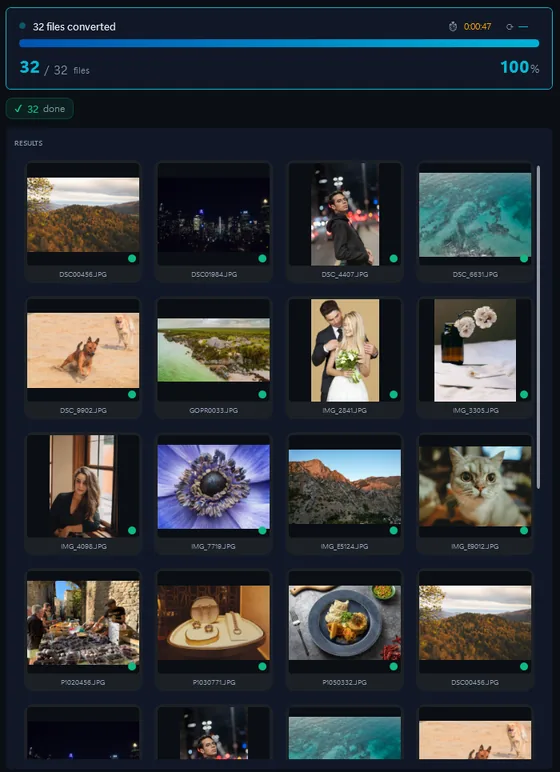
- Download the trial and install it on Windows 10 or 11.
- Drop your SVG files, or a whole folder, into Contenta Converter.
- Pick JPG, PNG, TIFF or PDF and click “Start Converting”.
The same photo, five outputs
 DSC_0001.NEF · 3900×2613
- PNG.png1.9 s16.1 MB
- AVIF.avif2.2 s2.02 MB
- JPG.jpg1.7 s1.69 MB
- WebP.webp1.7 s1.32 MB
- JPEG XL.jxl1.7 s1.12 MB
Scalable Photos — Convert, Resize & Organize
Információk a formátum: SVG
| Formátum | SVG |
| Társaság | W3C |
| Leírás | Scalable Vector Graphics (SVG) egy XML formátumú fájlt, és specifikációjáról leírásához kétdimenziós vektor grafika, mind a statikus és dinamikus (interaktív vagy animált). Az SVG specifikáció nyílt szabvány, amely már a fejlesztés által a World Wide Web Consortium (W3C) 1999 óta. SVG képek és viselkedés meghatározása a szöveges XML fájlokat. Ez azt jelenti, hogy lehet keresni, indexelt, scripted, és ha szükséges, tömörített. SVG fájlok edited bármely szövegszerkesztő, de a szakember SVG fejlesztési környezet is. Ezek a szolgáltatások széles skáláját ajánlják speciális és általános célú funkciókat. Minden modern böngésző, kivéve a Microsoft Internet Explorer támogatás és teszik SVG jelölõnyelv közvetlenül. SVG-fájlok megtekintéséhez az Internet Explorer (IE), a felhasználók a letölthető és helyezzen be egy böngésző beépülő modul. |
| Előnyök | Infinitely scalable without pixelation. Text-based format that is searchable, indexable, and can be styled with CSS or animated with JavaScript. Very small file sizes for simple graphics compared to raster alternatives. |
| Hátrányai | Not suitable for photographs or complex raster imagery. Rendering can vary slightly between browsers. Complex SVGs with many paths can become large and slow to render. |
Testimonials:
“I have been using Contenta Converter for years and it has saved me countless hours of work. Highly recommended!”
“Simple, fast, and does exactly what it promises. The batch processing is incredibly efficient.”
“Best image converter I have found. The RAW support and metadata handling are top-notch.”
Satisfaction Guaranteed:
 | Professional photo conversion and processing as easy as it should be |
|
| Trusted by photographers, designers, and businesses worldwide. |
|
| Totally risk free. After purchase, you have a 30-day money back guarantee. No questions asked. |
Other cameras from this brand
SVG image conversion
SVG image conversion
SVG image organization
SVG image color processing
SVG image processing
SVG image annotation
Frequently Asked Questions
What image formats does the Scalable produce?
The Scalable produces SVG files. You can convert these to JPG, TIFF, PNG, PDF, WEBP, and many other formats using Contenta Converter PREMIUM.
How do I convert Scalable photos?
Download Contenta Converter PREMIUM, drag and drop your photos, choose the output format, and click Convert. It supports batch conversion of hundreds of files at once.
Does Contenta Converter support RAW files and metadata?
Yes. Contenta Converter PREMIUM reads RAW files from most popular camera brands and can preserve or update IPTC/XMP metadata such as copyright, location, and descriptions during conversion.
Can I add a watermark to my Scalable photos?
You can add text or image watermarks to all your photos in one step. Contenta Converter PREMIUM lets you choose position, opacity, and size so your branding looks consistent on every export.
Is Contenta Converter free to try?
Yes. The trial has every feature and no time limit. Pick up to 10 results to keep clean; the rest carry a small watermark. Buying a license removes the watermark.