JK
转换和整理您的JK KODAK PIXPRO AZ526照片
将 JK KODAK PIXPRO AZ526 的照片按整个文件夹一次批量转换为 JPG、PNG、TIFF 或 PDF,并可同时调整大小、重命名和分类到文件夹。
下载免费试用版:每个文件都会转换,10 个无水印 查看所有功能 →
$129 一次性付款。无需订阅,无按张收费。
- 免费试用,不限时间
- 10 个结果无水印
- Windows 10/11
- 离线使用
- 全球超过100,000名用户
转换前
RAF
DSCF0014.RAF
15.2 MB
相机 RAW:体积大,难以分享
转换后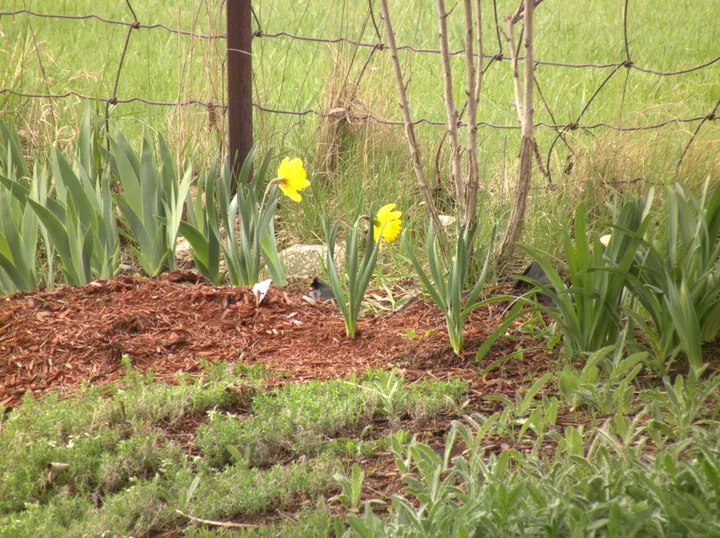
DSCF0014.jpg
2.8 MB · 3664×2742 · 0.6 s
JPG:随处可打开
- 下载试用版,并安装到 Windows 10 或 11。
- 将照片或整个文件夹拖入 Contenta Converter。
- 选择 JPG、PNG、TIFF 或 PDF,然后点击“开始转换”。
RAW 文件的内部
DSC_0001.NEF9,454,032 B
- 传感器数据8,184,992 B · 86.6 %传感器记录下的原始画面:12 位,3904×2616,压缩存储。
- 全尺寸预览1,095,726 B · 11.6 %相机生成的 JPG,3872×2592,带有相机自身的色彩处理。
- 小预览101,526 B · 1.1 %一张 570×375 的 JPG。
- 缩略图57,600 B · 0.61 %160×120,未压缩。
- 元数据和文件头14,188 B · 0.15 %170 个标签:78 个 EXIF 和 92 个厂商备注(曝光、镜头、日期、相机设置)。
JPG · 3900×2613 · 1.69 MB. Contenta 解码传感器数据并写出新的 JPG,相机和曝光标签会一并保留(Nikon D60、ISO 400、1/125 s、f/2.8、86 mm)。
| 公司 | JK Imaging, Ltd. |
| 型号 | KODAK PIXPRO AZ526 |
60+
图像格式
100K+
满意用户
35+
效果和滤镜
使用者证明:
“我使用Contenta Converter已经好几年了,它为我节省了无数小时的工作时间。强烈推荐!”
“简单、快速,完全符合承诺。批量处理效率令人难以置信。”
“我找到的最好的图像转换器。RAW支持和元数据处理一流。”
满意保证:
 | 简单又专业的照片转换以及处理过程 |
|
| 全球摄影师、设计师和企业的信赖之选。 |
|
| 完全无风险. 购买后,您将获得一个30天退款保证,绝不多问。 |
同品牌的其他相机
Jk Imaging, Ltd. KODAK PIXPRO FZ45 Jk Imaging, Ltd. KODAK PIXPRO FZ55 Jk Imaging, Ltd. KODAK PIXPRO AZ421 Jk Imaging, Ltd. KODAK PIXPRO FZ152 Jk Imaging, Ltd. KODAK PIXPRO FZ53 Jk Imaging, Ltd. KODAK PIXPRO WPZ2 Jk Imaging, Ltd. KODAK PIXPRO AZ401 Jk Imaging, Ltd. KODAK PIXPRO AZ425 Jk Imaging, Ltd. KODAK PIXPRO X53 Jk Imaging, Ltd. KODAK PIXPRO AZ252 Jk Imaging, Ltd. KODAK PIXPRO AZ422 Jk Imaging, Ltd. KODAK PIXPRO FZ43 Jk Imaging, Ltd. KODAK PIXPRO AZ525 Jk Imaging, Ltd. KODAK PIXPRO AZ528 Jk Imaging, Ltd. KODAK PIXPRO FZ42 Jk Imaging, Ltd. KODAK PIXPRO AZ526 Jk Imaging, Ltd. KODAK PIXPRO FZ102 Jk Imaging, Ltd. KODAK PIXPRO AZ365 Jk Imaging, Ltd. KODAK PIXPRO AZ652 Jk Imaging, Ltd. KODAK PIXPRO AZ405 Jk Imaging, Ltd. KODAK PIXPRO WP1 Jk Imaging, Ltd. KODAK PIXPRO AZ901 Jk Imaging, Ltd. KODAK PIXPRO FZ101 Jk Imaging, Ltd. KODAK PIXPRO AZ527 Jk Imaging, Ltd. KODAK PIXPRO AZ255 Jk Imaging, Ltd. KODAK PIXPRO X54 Jk Imaging, Ltd. KODAK PIXPRO FZ201 Jk Imaging, Ltd. KODAK PIXPRO AZ426 Jk Imaging, Ltd. KODAK PIXPRO CZ53
图像转换
如何将Jk Imaging, Ltd. KODAK PIXPRO AZ526照片转换为JPG?
如何将Jk Imaging, Ltd. KODAK PIXPRO AZ526照片转换为J2K?
如何将Jk Imaging, Ltd. KODAK PIXPRO AZ526照片转换为PNG?
如何将Jk Imaging, Ltd. KODAK PIXPRO AZ526照片转换为GIF?
如何将Jk Imaging, Ltd. KODAK PIXPRO AZ526照片转换为TIFF?
如何将Jk Imaging, Ltd. KODAK PIXPRO AZ526照片转换为BMP?
如何将Jk Imaging, Ltd. KODAK PIXPRO AZ526照片转换为PPM?
如何将Jk Imaging, Ltd. KODAK PIXPRO AZ526照片转换为ICO?
如何将Jk Imaging, Ltd. KODAK PIXPRO AZ526照片转换为WEBP?
如何将Jk Imaging, Ltd. KODAK PIXPRO AZ526照片转换为AVIF?
如何将Jk Imaging, Ltd. KODAK PIXPRO AZ526照片转换为HEIC?
图像转换
如何将Jk Imaging, Ltd. KODAK PIXPRO AZ526照片转换为JPEG?
如何将Jk Imaging, Ltd. KODAK PIXPRO AZ526照片转换为TIF?
如何将Jk Imaging, Ltd. KODAK PIXPRO AZ526照片转换为JP2?
如何将Jk Imaging, Ltd. KODAK PIXPRO AZ526照片转换为PDF?
如何将Jk Imaging, Ltd. KODAK PIXPRO AZ526照片转换为EPS?
如何将Jk Imaging, Ltd. KODAK PIXPRO AZ526照片转换为SVG?
如何将Jk Imaging, Ltd. KODAK PIXPRO AZ526照片转换为TARGA?
如何将Jk Imaging, Ltd. KODAK PIXPRO AZ526照片转换为XPM?
图像整理
如何打开Jk Imaging, Ltd. KODAK PIXPRO AZ526 ?
如何处理Jk Imaging, Ltd. KODAK PIXPRO AZ526 ?
如何缩小Jk Imaging, Ltd. KODAK PIXPRO AZ526 ?
如何减小Jk Imaging, Ltd. KODAK PIXPRO AZ526 ?
如何自动重命名Jk Imaging, Ltd. KODAK PIXPRO AZ526 ?
如何将Jk Imaging, Ltd. KODAK PIXPRO AZ526 整理到子文件夹中?
如何重新压缩Jk Imaging, Ltd. KODAK PIXPRO AZ526 ?
如何从Jk Imaging, Ltd. KODAK PIXPRO AZ526 创建PDF相册?
图像色彩处理
如何将Jk Imaging, Ltd. KODAK PIXPRO AZ526 转换为黑白?
如何将Jk Imaging, Ltd. KODAK PIXPRO AZ526 转换为棕褐色?
如何调整Jk Imaging, Ltd. KODAK PIXPRO AZ526 的亮度?
如何调整Jk Imaging, Ltd. KODAK PIXPRO AZ526 的对比度?
如何调整Jk Imaging, Ltd. KODAK PIXPRO AZ526 的伽马值?
如何反转Jk Imaging, Ltd. KODAK PIXPRO AZ526 的颜色?
如何增强Jk Imaging, Ltd. KODAK PIXPRO AZ526 的色彩?
如何增强Jk Imaging, Ltd. KODAK PIXPRO AZ526 的对比度?
图像处理
如何给Jk Imaging, Ltd. KODAK PIXPRO AZ526 添加水印?
如何从Jk Imaging, Ltd. KODAK PIXPRO AZ526 创建GIF动画幻灯片?
如何从Jk Imaging, Ltd. KODAK PIXPRO AZ526 创建铅笔/墨水画?
如何锐化Jk Imaging, Ltd. KODAK PIXPRO AZ526 ?
如何模糊Jk Imaging, Ltd. KODAK PIXPRO AZ526 ?
如何重新对焦Jk Imaging, Ltd. KODAK PIXPRO AZ526 ?
如何去除Jk Imaging, Ltd. KODAK PIXPRO AZ526 的热像素噪点?
如何裁剪Jk Imaging, Ltd. KODAK PIXPRO AZ526 ?
如何旋转Jk Imaging, Ltd. KODAK PIXPRO AZ526 ?
如何翻转Jk Imaging, Ltd. KODAK PIXPRO AZ526 ?
图像标注
如何更改Jk Imaging, Ltd. KODAK PIXPRO AZ526 的DPI分辨率?
如何修改Jk Imaging, Ltd. KODAK PIXPRO AZ526 的IPTC/XMP日期?
如何修改Jk Imaging, Ltd. KODAK PIXPRO AZ526 的IPTC/XMP描述?
如何修改Jk Imaging, Ltd. KODAK PIXPRO AZ526 的IPTC/XMP位置?
如何修改Jk Imaging, Ltd. KODAK PIXPRO AZ526 的IPTC/XMP法律信息?
如何编辑Jk Imaging, Ltd. KODAK PIXPRO AZ526 的IPTC/XMP工作流程?
如何编辑Jk Imaging, Ltd. KODAK PIXPRO AZ526 的IPTC/XMP版权?
常见问题
JK KODAK PIXPRO AZ526产生什么图像格式?
JK KODAK PIXPRO AZ526产生image文件。您可以使用Contenta Converter PREMIUM将它们转换为JPG、TIFF、PNG、PDF、WEBP和许多其他格式。
如何转换JK KODAK PIXPRO AZ526照片?
下载Contenta Converter PREMIUM,拖放您的照片,选择输出格式并点击转换。支持一次批量转换数百个文件。
Contenta Converter支持RAW文件和元数据吗?
支持。Contenta Converter PREMIUM可以读取大多数主流相机品牌的RAW文件,并可以在转换过程中保留或更新IPTC/XMP元数据,如版权、位置和描述。
我可以给我的JK KODAK PIXPRO AZ526照片添加水印吗?
您可以一步为所有照片添加文字或图像水印。Contenta Converter PREMIUM允许您选择位置、不透明度和大小,使您的品牌在每次导出中保持一致。
Contenta Converter可以免费试用吗?
可以。试用版功能完整且不限时间。最多选择 10 个结果保留为无水印;其余带小水印。购买许可证即可去除水印。