EXIF
Strip GPS & Metadata from Photos
Protect your privacy — remove GPS coordinates, device info, and all hidden metadata from photos before sharing.
Download the trial: 10 free images
Convert the whole folder now. Keep 10 results clean, free. $129 once removes the watermark from the rest. No card, no account, no upload. Windows 10 and 11.
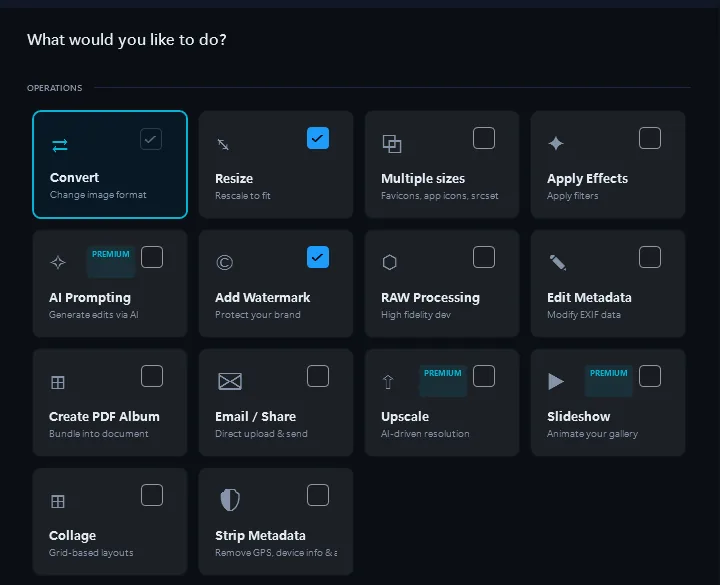
- Add your imagesDrag & drop files or entire folders
- Enable Strip All MetadataOne checkbox — removes all EXIF, IPTC, and XMP metadata including GPS, device info, timestamps, and software tags. Your photos keep their quality, just without the hidden data.
- ConvertAll outputs ready in minutes
Every iPhone photo contains your exact GPS location, device serial number, and timestamps. Strip everything in one click before uploading to forums, selling items, or sharing with clients.
What is Hidden in Your Photos?
GPS Coordinates
Your exact latitude and longitude — accurate to within a few meters. Anyone can see where you took the photo.
Device Information
Phone model, serial number, lens type, firmware version. Uniquely identifies your device.
Timestamps
Exact date and time you took the photo, plus timezone information. Reveals your schedule and location patterns.
Software & Edits
Which apps you used to edit the photo, editing history, and software versions. Reveals your workflow.
When Should You Strip Metadata?
Selling Items Online
Listing items on eBay, Craigslist, or Facebook Marketplace? Strip GPS data so buyers cannot pinpoint your home address from product photos.
Sharing on Forums & Social Media
Posting photos on Reddit, Discord, or forums? Remove device info and GPS that could identify you or reveal your location.
Client Deliverables
Sending photos to clients? Remove internal metadata like editing software, camera settings, and timestamps before delivery.
Journalists & Activists
Protect sources and locations. Strip all identifying metadata from photos before publishing or sharing sensitive material.
What Gets Stripped vs. What Stays
Removed (Privacy Data)
- GPS coordinates (latitude, longitude, altitude)
- Camera make, model, and settings
- Device serial numbers and unique IDs
- Date, time, and timezone
- Software tags and editing history
Kept (Image Quality)
- Full image quality — no recompression
- Color profile and color space
- Resolution and pixel dimensions
- Original file format
- Filename (customizable)
Before & After
Before Contenta
Photos shared online contain your GPS coordinates, device serial number, timestamps, and editing history. Anyone can extract this data.
After Contenta
Clean photos with all metadata stripped. Same image quality, zero privacy risk. Process thousands of photos in seconds.
Start Converting Photos Today
Choose the plan that works for you. All plans include every feature.
No subscription trap. Contenta is a one-time purchase — less than 2 months of Lightroom, and it's yours forever.
Frequently Asked Questions
Contenta reads 100+ input formats, including JPEG, PNG, TIFF, WebP, HEIC, AVIF, BMP, GIF, PDF and 30+ camera RAW formats (CR2, NEF, ARW, DNG, RAF, and more), and writes 28 output formats.
There is no limit. Contenta uses multi-core processing to convert thousands of images in minutes. Users regularly process 10,000+ photos in a single batch.
Yes. Contenta supports 30+ RAW formats from Canon, Nikon, Sony, Fuji, Panasonic, Olympus, and more. Full white balance, denoising, and color adjustment controls are built in.
Every feature, every file and no time limit. Each batch converts in full; results carry a small watermark until you pick up to 10 of them to keep clean. Those picks count once per PC, not per batch, and a batch of 500 costs none until you choose. A license ($129 once) removes the watermark from everything you convert.
No. Contenta Converter is a one-time purchase. You pay once and own it forever, including all future updates. No monthly or yearly fees.
What Our Users Say
“I have been using Contenta Converter for years and it has saved me countless hours of work. Highly recommended!”
“Simple, fast, and does exactly what it promises. The batch processing is incredibly efficient.”
“Best image converter I have found. The RAW support and metadata handling are top-notch.”
Free trial, then $129 once. No monthly fees.
Published by ContentaSoft, Umea, Sweden, developer of Contenta Converter PREMIUM.
Contenta Converter PREMIUM is a desktop application for Windows that batch converts, resizes, renames, watermarks, and processes images in 100+ formats including JPEG, PNG, WebP, HEIC, TIFF, RAW, and PDF.
This software contains no adware, spyware, toolbars, or bundled third-party programs. The installer installs only Contenta Converter PREMIUM.
Conversion, resizing, watermarking and metadata editing run on your computer. The optional AI features (background removal, photo restoration, colorize) send the images you process with them to Google Gemini using your own API key. The software does not collect personal data.
Free trial with every feature and no time limit: every file converts, up to 10 results you pick stay clean and the rest carry a watermark. Lifetime license: $129 (one-time payment, no subscription).
How to Uninstall
Open Windows Settings > Apps > Installed apps, find "Contenta Converter PREMIUM" in the list, and click Uninstall. You can also run the uninstaller from the installation folder or use Control Panel > Programs and Features.
Download size: ~2 MB (web installer). Additional components are downloaded during installation (~300 MB total).