TikTok
TikTok Image Sizes 2026
Batch resize photos for TikTok profile, covers, and posts
Download the free trial: every file converts, keep 10 clean
Convert the whole folder now. Keep 10 results clean, free. $129 once removes the watermark from the rest. No card, no account, no upload. Windows 10 and 11.
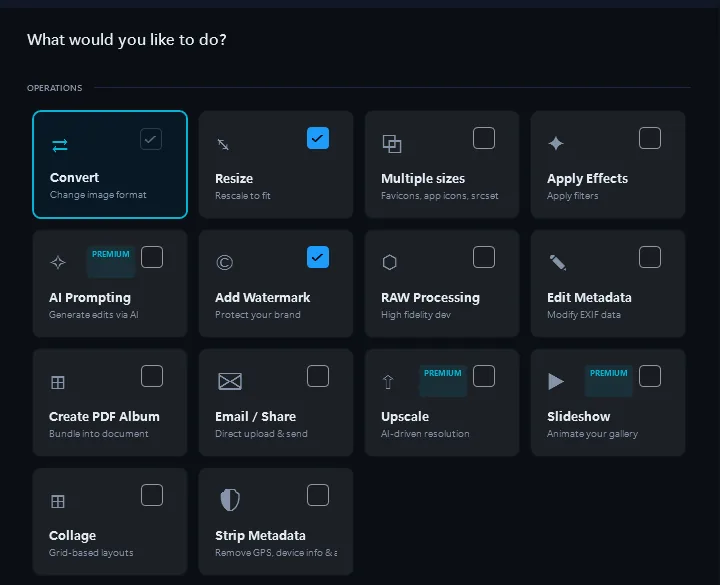
- Add your imagesDrop your photos, graphics, or designs into Contenta Converter.
- Set the sizeType the size you need, for example 1080 × 1920 for a cover or 1080 × 1350 for a post, and choose Fill & crop.
- Export all sizesEvery image in the folder comes out at that size, ready to upload.
Get the exact dimensions for every TikTok image type. Batch resize your content for TikTok in seconds.
Every TikTok Size, One Click
Full-screen 9:16 vertical format for TikTok video cover images.
Square crop optimized for TikTok profile display.
4:5 portrait format for TikTok photo carousel posts.
Resize presets include Instagram Square, Instagram Story, Facebook Post and Twitter / X. Type any other size yourself.
Before & After
Before Contenta
Manually cropping each image for TikTok, Instagram, and YouTube separately.
After Contenta
Set the size once, add the folder, press Convert: every image comes out at TikTok's size.
Simple, One-Time Pricing
Start Converting Photos Today
Choose the plan that works for you. All plans include every feature.
Subscription optional. Buy Contenta once and it's yours forever.
What Our Users Say
“I have been using Contenta Converter for years and it has saved me countless hours of work. Highly recommended!”
“Simple, fast, and does exactly what it promises. The batch processing is incredibly efficient.”
“Best image converter I have found. The RAW support and metadata handling are top-notch.”
Published by ContentaSoft, Umea, Sweden, developer of Contenta Converter PREMIUM.
Contenta Converter PREMIUM is a desktop application for Windows that batch converts, resizes, renames, watermarks, and processes images in 100+ formats including JPEG, PNG, WebP, HEIC, TIFF, RAW, and PDF.
This software contains no adware, spyware, toolbars, or bundled third-party programs. The installer installs only Contenta Converter PREMIUM.
Conversion, resizing, watermarking and metadata editing run on your computer. The optional AI features (background removal, photo restoration, colorize) send the images you process with them to Google Gemini using your own API key. The software does not collect personal data.
Free trial with every feature and no time limit: every file converts, up to 10 results you pick stay clean and the rest carry a watermark. Lifetime license: $129, one-time payment, or subscribe.
How to Uninstall
Open Windows Settings > Apps > Installed apps, find "Contenta Converter PREMIUM" in the list, and click Uninstall. You can also run the uninstaller from the installation folder or use Control Panel > Programs and Features.
Download size: ~2 MB (web installer). Additional components are downloaded during installation (~190 MB total).