CONTENTA CONVERTER PREMIUM

Thousands of photos:
converted, resized & watermarked in minutes

Convert the whole folder now: RAW, HEIC, JPEG and 100+ formats, right on your PC. Keep 10 results clean, free. $129 once removes the watermark from the rest. No card, no account, no upload.

Setup stalled while downloading, or blocked by your antivirus? Download the full offline installer (224 MB)

Windows 10/11 Free trial: keep 10 results clean, no time limit · Works offline · 30-Day Money-Back Guarantee · Lost your key?
v9.0.40
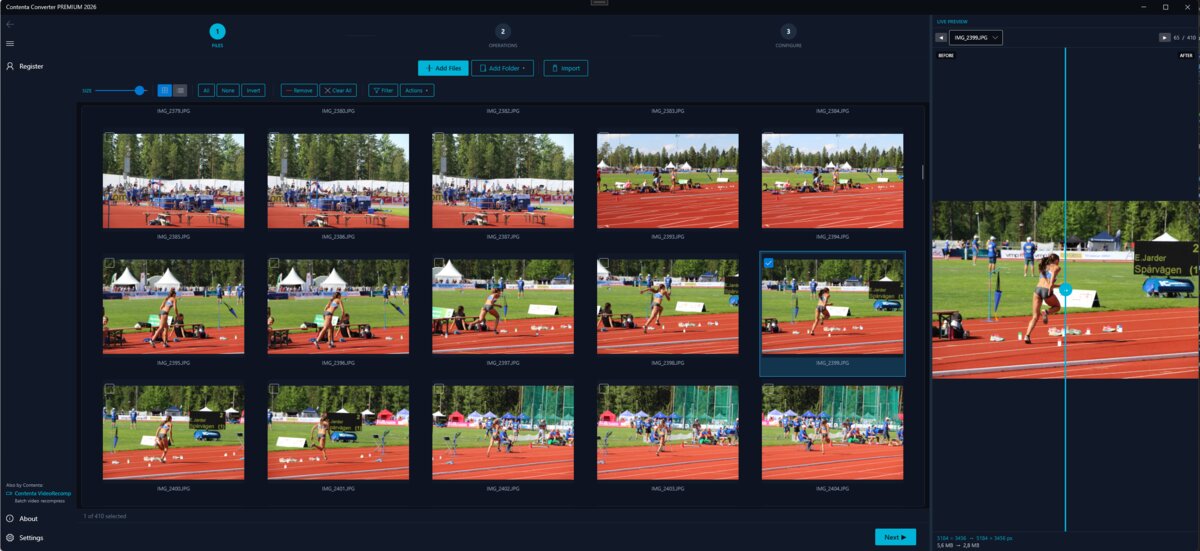
Contenta Converter PREMIUM: batch of photos loaded and ready to convert
100+
Image Formats
100K+
Happy Users
35+
Effects & Filters
AI
AI Enhancement

Watch a whole folder done in one pass

Add your photos, set it up once, convert them all.

Download for Windows

Windows · free trial · pay once, no subscription

Narrated in English, with subtitles · Short on time? Watch the one-minute version

Read & Write All Major Image Formats

JPEG PNG WebP HEIC AVIF TIFF RAW PDF BMP GIF SVG

Powerful Features

Built for Every Photographer

Whether you shoot weddings or sell online, Contenta adapts to your workflow.

See the Difference

Convert an entire photo shoot in minutes, not hours.

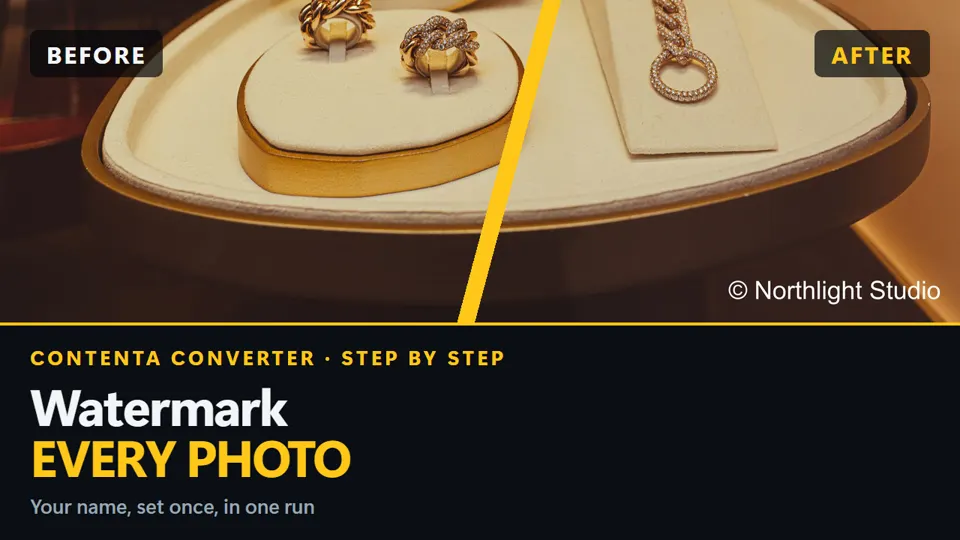
Before
50 RAW Photos · CR2 Format
1.8 GB
After
50 Web-Ready JPEGs · Resized & Optimized
45 MB

97% smaller: ready to upload, email, or archive

Why Contenta vs Alternatives

One-time purchase. All features included. No feature gating.

Feature Contenta Adobe Bridge Lightroom Online Tools
Batch Processing Unlimited Limited Export only 5-20 images
Formats 60+ 30+ 25+ 5-10
AI Enhancement ✓ ✗ ✗ ✓
Effects 35+ Basic Presets Few
CLI / Automation ✓ + MCP ✗ ✗ API only
100% Offline ✓ ✓ ✓ ✗

The most intuitive software to transform your photos

  1. Select photos
  2. Configure
  3. Convert

Prepare for web, print, backup. Organize and rename. Apply effects, watermarks, metadata in batch.

One folder in, one finished set out

In: 11 mixed files
Camera RAW · 6
ARWRAFNEFRW2DNGCR3
HEIC / HEIF · 2
HEICHEIF
JPEG · 3
JPGJPGJPG
Convert 11 photos
Out: one JPG per photo
JPGJPGJPGJPGJPGJPGJPGJPGJPGJPGJPG
135.7 MB → 19.6 MBtotal size, before and after
6.8 sfor the whole folder, one batch run
0files failed
A test folder of 6 RAW, 2 HEIC/HEIF and 3 JPEG photos, converted to JPG at quality 90 in a single batch run. Measured with the Contenta Converter 9.0.35 command line on an AMD Ryzen 9 3900X, 2026-09-30.

What goes in, what comes out

102input extensions in 21 families

  • RAW303fr arw cr2 cr3 crw dcr dng erf iiq kdc mef mos mrw nef nrw orf pef ptx pxn raf raw rw2 rwl sr2 srf srw thm x3f fff mdc
  • Standard21jpg jpeg jif jxr png tif tiff bmp gif webp tga exr hdr ico wbmp xpm pbm pgm ppm targa thumb
  • Niche12pcx dds iff lbm pnm sgi rgb jng mng xbm cut rle
  • JPEG 20005jp2 j2k jpf jpx j2c
  • Legacy5pict pct sun ras pic
  • Metafile4wmz emz emf wmf
  • HEIC / AVIF3heic heif avif
  • Document3pdf qrp ai
  • Stereo3jps pns mpo
  • Photoshop2psd psb
  • PostScript2eps ps
  • SVG2svg svgz
  • DjVu2djvu djv
  • JPEG XL1jxl
  • MrSID1sid
  • Apple1ithmb
  • SketchUp1skm
  • Photo CD1pcd
  • Paint.NET1pdn
  • Fax1g3
  • GIMP1xcf

28output extensions

Web and phone
jpgjpegjifpngwebpavifheicheifjxlgif
Print and archive
tiftiffpdfpsepsjp2jxr
Other raster
bmptgawbmpppmpgmpbmxpmexrhdr
Vector and icon
svgico
Counted from the app's own list (contenta formats, version 9.0.35). Each extension is counted once, so JPG and JPEG count as two. Families are our grouping.

使用者證明

"今天一定得轉換一些圖像。你的軟件真是救了我一命!謝了!"
Jason Hoffman,加利福尼亞州

"我每天都拍攝RAW圖像。我非常喜歡你的軟件,因為它很省時。"
Jim Richardson,印第安納州

"我一直都在注意圖像轉換器。我發覺你們的軟件乾淨,簡單,而且非常棒!"
Brandon Keegan,紐約州

See it in action

From loading a batch to downloading your finished photos: here's the real workflow.

Frequently Asked Questions

Contenta reads 100+ input formats, including JPEG, PNG, TIFF, WebP, HEIC, AVIF, BMP, GIF, PDF and 30+ camera RAW formats (CR2, NEF, ARW, DNG, RAF, and more), and writes 28 output formats.

There is no limit. Contenta uses multi-core processing to convert thousands of images in minutes. Users regularly process 10,000+ photos in a single batch.

Yes. Contenta supports 30+ RAW formats from Canon, Nikon, Sony, Fuji, Panasonic, Olympus, and more. Full white balance, denoising, and color adjustment controls are built in.

Every feature, every file and no time limit. Each batch converts in full; results carry a small watermark until you pick up to 10 of them to keep clean. Those picks count once per PC, not per batch, and a batch of 500 costs none until you choose. A license ($129 once) removes the watermark from everything you convert.

No. Contenta Converter is a one-time purchase. You pay once and own it forever, including all future updates. No monthly or yearly fees.

How the free trial works

One batch, every file converted

Kept clean: the 10 you pickThe rest: a small watermark
Free trialLicense
Files convertedEvery file, every batchEvery file
Images without a watermark10 you pickUnlimited
How longNo time limitNo end date
FeaturesAllAll, with updates
What you payNothing, no credit card$129 once, or $29 a quarter
The 10 picks count once per PC, not per batch: a batch of 500 costs no picks until you choose. The command line, the MCP server and watch folders keep the first 10 files clean instead, from the same 10. Each file you keep costs one pick: a multi-size result costs one per size, and a PDF album, merged PDF, collage or slideshow costs one.

After you click Download

  1. Check your Downloads folderLook for ContentaConverterPremium2026-WebSetup.exe in your browser's download bar or Downloads folder.
  2. Run the installerDouble-click the file and follow the setup wizard. Setup downloads about 300 MB of components once, then installs in under a minute.
  3. Start convertingLaunch Contenta Converter, convert a whole folder and pick 10 results to keep clean, free.
  • Windows 10, 8, 7 down to Windows XP (32 or 64 bit)
  • 1 GB free disk space
  • 2 MB setup, about 300 MB downloaded once
  • Works offline

Ready to Process Your Photos?

Download the free trial and start converting in 2 minutes.

Download Free Trial
Free trial, no time limit Windows 10 / 11

請注意:Contenta Software的軟件並不允許您複製受保護的文件。您只能用此軟件複製您擁有版權的文件,或已經向版權者獲得允許的文件。

Intel和Core 2 Duo是英特爾公司的註冊商標。AMD和Athlon X2是AMD公司的註冊商標。Windows 8/7/XP/2003/Vista是微軟公司的註冊商標。Mac Os X是Apple公司的註冊商標。所有其他商標是其各自所有者的產權。

Every feature, every file and no time limit. Each batch converts in full; results carry a small watermark until you pick up to 10 of them to keep clean. Those picks count once per PC, not per batch, and a batch of 500 costs none until you choose. A license ($129 once) removes the watermark from everything you convert. The command line, the MCP server and watch folders keep the first 10 files clean instead, from the same allowance. Each file you keep costs one pick: a multi-size result costs one per size, and a PDF album, merged PDF, collage or slideshow costs one. A PC that already used its 10 free images with an earlier version starts with no picks left.

Windows 10, 8, 7 down to Windows XP (32 or 64 bit)

  • 為多核處理器優化
  • 512 MB RAM
  • 60 MB 可用磁盤空間

Setup stalled while downloading, or blocked by your antivirus? Download the full offline installer (224 MB)

Published by ContentaSoft, Umea, Sweden, developer of Contenta Converter PREMIUM.

Contenta Converter PREMIUM is a desktop application for Windows that batch converts, resizes, renames, watermarks, and processes images in 100+ formats including JPEG, PNG, WebP, HEIC, TIFF, RAW, and PDF.

This software contains no adware, spyware, toolbars, or bundled third-party programs. The installer installs only Contenta Converter PREMIUM.

Conversion, resizing, watermarking and metadata editing run on your computer. The optional AI features (background removal, photo restoration, colorize) send the images you process with them to Google Gemini using your own API key. The software does not collect personal data.

Free trial with every feature and no time limit: every file converts, up to 10 results you pick stay clean and the rest carry a watermark. Lifetime license: $129 (one-time payment, no subscription).

How to Uninstall
Open Windows Settings > Apps > Installed apps, find "Contenta Converter PREMIUM" in the list, and click Uninstall. You can also run the uninstaller from the installation folder or use Control Panel > Programs and Features.

Download size: ~2 MB (web installer). Additional components are downloaded during installation (~300 MB total).

隱私政策 | 使用條款
Common Formats

JPG JPEG PNG HEIC TIFF TIF BMP GIF PSD PDF SVG

Vector & Document

PS EPS QRP WMF AI

Also from ContentaSoft

VideoRecompress Studio

Batch video compression with H.265, AV1, VP9. Reduce file sizes 30-70% with no visible quality loss. GPU-accelerated.

AI Video Enhancer Studio

AI video upscaling (2x/4x), frame interpolation, stabilization, and denoising. Batch GPU-accelerated processing for old videos, drones, and action cams.

3D CAD Converter

Batch convert STEP/IGES to STL, OBJ, FBX, glTF. Tessellation quality control, STEP/IGES surface repair before meshing, 3D preview. For 3D printing, game dev, and manufacturing.