What Contenta Converter Does For You
Professional image conversion made simple. Save hours of manual work every week.
- Windows 10/11
- Works offline

What goes in, what comes out
102input extensions in 21 families
- RAW303fr arw cr2 cr3 crw dcr dng erf iiq kdc mef mos mrw nef nrw orf pef ptx pxn raf raw rw2 rwl sr2 srf srw thm x3f fff mdc
- Standard21jpg jpeg jif jxr png tif tiff bmp gif webp tga exr hdr ico wbmp xpm pbm pgm ppm targa thumb
- Niche12pcx dds iff lbm pnm sgi rgb jng mng xbm cut rle
- JPEG 20005jp2 j2k jpf jpx j2c
- Legacy5pict pct sun ras pic
- Metafile4wmz emz emf wmf
- HEIC / AVIF3heic heif avif
- Document3pdf qrp ai
- Stereo3jps pns mpo
- Photoshop2psd psb
- PostScript2eps ps
- SVG2svg svgz
- DjVu2djvu djv
- JPEG XL1jxl
- MrSID1sid
- Apple1ithmb
- SketchUp1skm
- Photo CD1pcd
- Paint.NET1pdn
- Fax1g3
- GIMP1xcf
28output extensions
Convert 100+ Image Formats
From camera RAW to web-ready JPEG, PNG, TIFF, WebP, HEIC, and dozens more. One tool handles them all.
One-Click Platform-Ready Exports
Resize and optimize for Amazon, Instagram, Zillow, and 20+ platforms automatically. No manual resizing needed.
AI-Powered Background Removal
Remove backgrounds with AI in one click. Make product photos print-ready or prep images for e-commerce listings.
Protect Your Work
Add text or logo watermarks to thousands of photos in one batch. Control position, opacity, and size.
Process Thousands of Photos in Minutes
Batch convert, resize, rename, and apply effects to entire folders. Work on other things while Contenta runs.
Create PDF Albums and Contact Sheets
Build professional PDF photo albums with customizable layouts. Perfect for client delivery or archiving.
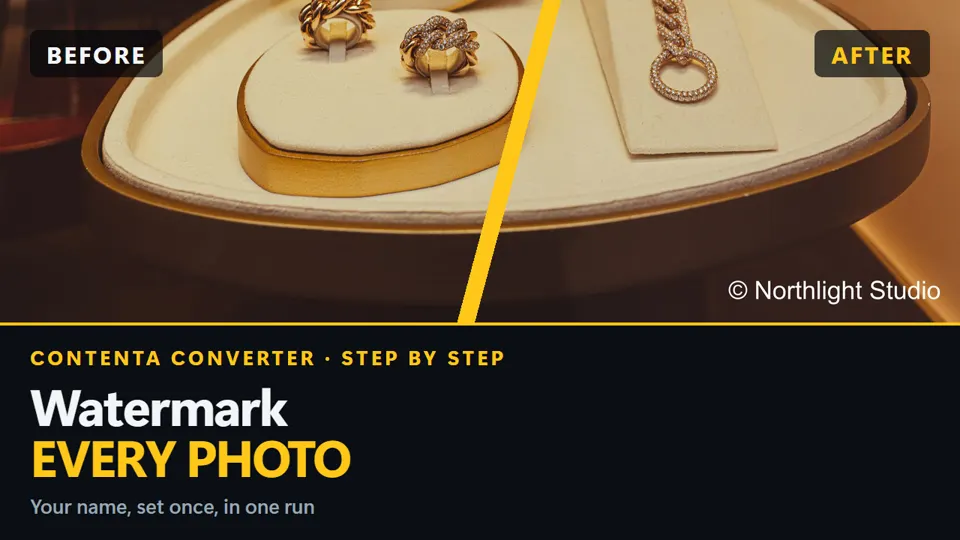
How to add a watermark to photos in batch
Windows · free trial · pay once, no subscription
Narrated in English, with subtitles · Short on time? Watch the one-minute version
Advanced Features
Professional tools for photographers, designers, and teams who need more than basic conversion.
RAW Processing
Process 30+ camera RAW formats with white balance, denoising, and color control. Support for Canon CR2/CR3, Nikon NEF, Sony ARW, and more.
Effects Pipeline
Chain 35+ effects: blur, sharpen, B&W, sepia, brightness, contrast, color adjustments. Apply in batch to thousands of images.
Watermarking
Add text or logo watermarks with customizable position, opacity, and size. Protect and brand your photos in batch.
PDF Photo Albums
Create PDF albums with 1 to 48 photos per page. Also split multi-page PDFs into individual images.
Metadata Control
Read and write EXIF, IPTC, and XMP metadata. Set copyright, creator, keywords, and more across all images at once.
Cloud Upload
Upload converted images directly to cloud storage or share via email. Streamline your delivery workflow.
AI Background Removal
Remove or replace image backgrounds with AI. Set white, transparent, or custom color backgrounds. Edit images with text prompts.
Video Slideshows
Turn your photos into MP4 or WebM videos with Ken Burns motion, crossfade transitions, and background audio. 9 social media templates included.
Photo Collages
Create grid collages from your photos. Built-in presets for Instagram, Facebook, Twitter, LinkedIn, and print sizes.
Review before converting
See each photo full size, compare two side by side and group burst shots. Excluded photos are left out of the conversion; nothing is deleted. How Review works
Explore supported cameras and image formats
Want to check if your camera or file type is supported? Start from the supported cameras list below or visit our format encyclopedia to learn more about RAW (CR2/CR3, NEF, ARW, DNG), HEIC/AVIF, WEBP, PGM, and other formats Contenta Converter PREMIUM can handle.
NVIDIA GPU acceleration. When a compatible NVIDIA card is present, large JPEG batches are decoded, resized and re-encoded on the GPU for a major throughput boost, automatically falling back to the CPU otherwise.
Browse supported cameras Learn more about PGM format Canon CR2 (RAW) details HEIC format details
系統要求
- Windows 10, 8, 7 down to Windows XP (32 or 64 bit)
- 為多核處理器優化
- 512 MB RAM
- 60 MB 可用磁盤空間
After you pay: three steps
- Pay with StripeCard, Apple Pay or Google Pay. 30-day money-back guarantee.
- Get your key by emailIt arrives right after payment.
- Paste it into the appClick Register, paste your email and key. New conversions have no watermark.
功能
| Read/Write common formats (JPG, PNG, TIFF, GIF, BMP, WEBP, HEIC, AVIF, ICO, TGA, PPM, PGM, PBM, XPM, WBMP, EXR, HDR) |  |
| Read modern formats: JPEG-XL (JXL), JPEG 2000 (JP2, J2K), Photoshop (PSD/PSB), MrSID (SID) | |
| Read 25+ RAW camera formats: Canon (CR2, CR3, CRW), Nikon (NEF, NRW), Sony (ARW, SRF, SR2), Fujifilm (RAF), and more (DNG, ORF, PEF, RW2, 3FR, ERF, KDC, X3F, DCR, MEF, MOS, PTX) | |
| Read/Write SVG and SVGZ with configurable DPI rasterization | |
| Read/Write PDF; read EPS/PS; write EPS/PS; multi-page PDF splitting | |
| High-performance batch conversion with multi-core processing | |
| Batch resize: Fit, Fill (center-crop), Stretch, Fit with Background padding, Crop to Aspect Ratio | |
| Batch rotation (any angle), flip (horizontal/vertical), and crop | |
| Quality control slider (1-100) with live preview of output quality and estimated file size | |
| Smart resize for screens, web publishing, email, and social media | |
| Color adjustments: Black & White, Sepia, Hue/Saturation, Color Balance, Color Temperature, Auto Levels, Posterize, Threshold | |
| Blur & Sharpen: Gaussian Blur, Sharpen, Refocus, Median Filter, Motion Blur, Radial Blur, Zoom Blur | |
| Artistic effects: Pencil Sketch, Oil Paint, Emboss, Old Photo, Glow, Soft Portrait, Soft Edge | |
| Distortions: Mosaic, Wave, Ripple, Bulge, Twist, Ribbon | |
| Text watermark: custom font, color, size, transparency, 9-point placement | |
| Image/logo watermark: scale, transparency, 9-point placement | |
| Batch write EXIF metadata (copyright, artist, description, date/time) | |
| Batch write IPTC/XMP metadata (keywords, caption, creator, location, rights) | |
| Preserve, edit, or strip metadata selectively per output | |
| Automatically rename files using metadata patterns (date, camera, counter) * | |
| Automatically organize into meaningful subfolders using metadata * | |
| Color space conversion: sRGB, Adobe RGB, ProPhoto RGB, CMYK, or Preserve Original | |
| Convert multi-page PDF to individual images (configurable DPI) | |
| Create PDF photo albums from images (1 to 48 images per page) | |
| Custom filename patterns with counter and original-name tokens | |
| Conflict handling: skip, overwrite, or auto-rename duplicates | |
| Live before/after preview with effect visualization and file size estimation | |
支持相機
支持相機
This list of compatible cameras is non-exhaustive. A lot more cameras will be perfectly compatible with the program and the only way to really know for sure is to give it a try by downloading and using our free trial.
第三方軟件
第三方軟件
Contenta Converter 採用以下強力的第三方軟件:| dcraw | dcraw.zip | dcraw-src.zip |
| exiftool | exiftool.zip | Image-ExifTool-7.42.tar.gz |