.pcd
Open PCD files and convert Kodak Photo CD to JPG
A .pcd file is a photo from a Kodak Photo CD: a lab scan of your film from the 1990s or 2000s.
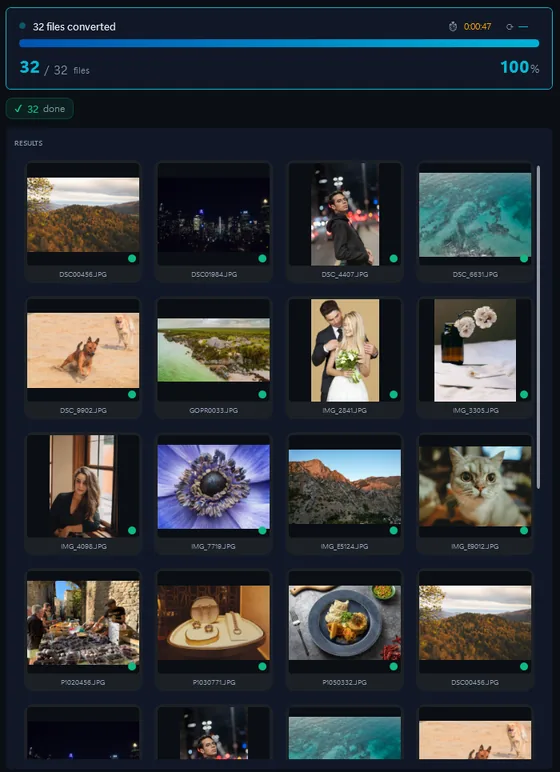
- أضف ملفات PCD الخاصة بكDrop in single files or a whole folder.
- اختر صيغة الإخراجJPG, PNG, TIFF, PDF and more.
- انقر تحويلEvery file converted in one pass.
Each file holds the same photo at several sizes, up to 3072×2048. Windows Photos cannot open it. Free viewers open one file at a time; Contenta Converter converts a whole disc to JPG at full resolution.
How to open a .PCD file on Windows
- IrfanView (free). Opens a single PCD file. Use Save As to keep that photo as a JPG.
- XnView (free). Also opens single PCD files. Fine for looking through a few photos.
- Contenta Converter, for a whole disc. Drop the Photo CD or its folder, pick JPG, PNG or TIFF, and every photo is converted at the full 3072×2048 size, not the 768×512 preview. Runs on Windows.
Before you convert PCD files
- What changes in the conversion
A Photo CD scan is stored in Kodak's YCC colour space at up to 3072×2048 pixels. Converting to JPG, PNG or TIFF turns it into ordinary RGB at that size; JPG adds lossy compression, PNG and TIFF do not. Grain, dust and colour cast stay as they were scanned: the converter does not retouch. Nothing on the disc is changed. - What Contenta Converter does with PCD
Contenta Converter decodes the 16Base level, 3072×2048, of every .pcd file in one batch, and can resize, rename and add the scan date while it converts. The larger 6144×4096 level that some Pro Photo CD discs carry is not read, so those files also come out at 3072×2048.
The same photo, five outputs
 DSC_0001.NEF · 3900×2613
- PNG.png1.9 s16.1 MB
- AVIF.avif2.2 s2.02 MB
- JPG.jpg1.7 s1.69 MB
- WebP.webp1.7 s1.32 MB
- JPEG XL.jxl1.7 s1.12 MB
صيغة |
PCD |
الشركة |
Kodak |
| الوصف | PCD (Photo CD) is Kodak's 1992 format for storing scanned photographs on CD-ROM. Each image is stored at five resolutions (192×128, 384×256, 768×512, 1536×1024, 3072×2048) in a single file, letting software pick the size it needs without resampling. Kodak offered PCD as a service — you mailed in film, got back a CD with digitized images. The product line ended in 2004, but the files persist in archives. |
| الفوائد | Multi-resolution design was ahead of its time — pick any of five sizes without server-side resizing. 12-bit color per channel at higher resolutions, YCC color space, Huffman coding. Decent compression for 1992. |
| عوائق | Kodak discontinued Photo CD support in 2004. Most modern software opens the highest resolution stored but cannot write new PCD files. The format's quirks (YCC instead of RGB, reversed scan-line order on Pro PhotoCD) require specialized decoders; Contenta Converter PREMIUM handles this. |
Ready to convert your PCD files? Download the free trial.
Download the free trial: every file converts, keep 10 cleanشهادات تزكية:
"في حاجة لتحويل هذه الصور اليوم، فإنه من الغوث أن تجد هذا البرنامج. شكراً! "جيسون هوفمان, كاليفورنيا
" التقط صور كل يوم، وأشكركم على هذا المحول الرائع. إنه يوفر وقتي بالفعل"
جيم ريتشاردسون، إنديانابولز
"أود أن أقول أنني كنت أبحث عن محول للصور، ووجدت أن برنامجكم واضح، وبسيط، وجميل جداً. "
براندون كيجان, نيويورك
ضمان الرضا:
 | التحويل الاحترافي للصور ومعالجتها أمر سهل كما ينبغي أن يكون |
|
| موثوق من المصورين والمصممين والشركات حول العالم. |
|
| لا يسبب أخطار على الإطلاق. بعد أن تشتري البرنامج، يكون لديك 30 يوماً ضمان باستعادة المبلغ المدفوع. |
PCD تنظيم الصور
PCD معالجة الصور
Frequently Asked Questions about PCD
How do I open a PCD file on Windows?
Windows Photos cannot open PCD files, and most modern editors dropped support. The free viewers IrfanView and XnView open single PCD files. To convert a whole Kodak Photo CD to JPG in one pass, use Contenta Converter.
Can I open PCD files on a Mac?
Contenta Converter runs on Windows only; there is no Mac version. If you can use a Windows PC once, convert the disc to JPG there. The JPG files then open on any Mac.
Do I get the full resolution from my Photo CD?
Yes. Each PCD file stores the photo at several sizes. Contenta Converter decodes the largest one, 3072×2048 (16Base), not the small 768×512 preview, and saves it as JPG, PNG or TIFF.
Can Contenta Converter read the disc directly?
Yes. Put the Photo CD in a drive and drop its PHOTO_CD/IMAGES folder, or a copy of it, onto the app. Every .pcd is converted in one pass and the disc is only read. Copying the folder to the PC first is quicker when the drive is slow.
Need more than PCD conversion? Browse supported cameras that produce PCD files below, or: